Tag: supercharger

  • Non-Tesla EVs can charge at most Superchargers now. Here’s what that means for you.

    Non-Tesla EVs can charge at most Superchargers now. Here’s what that means for you.

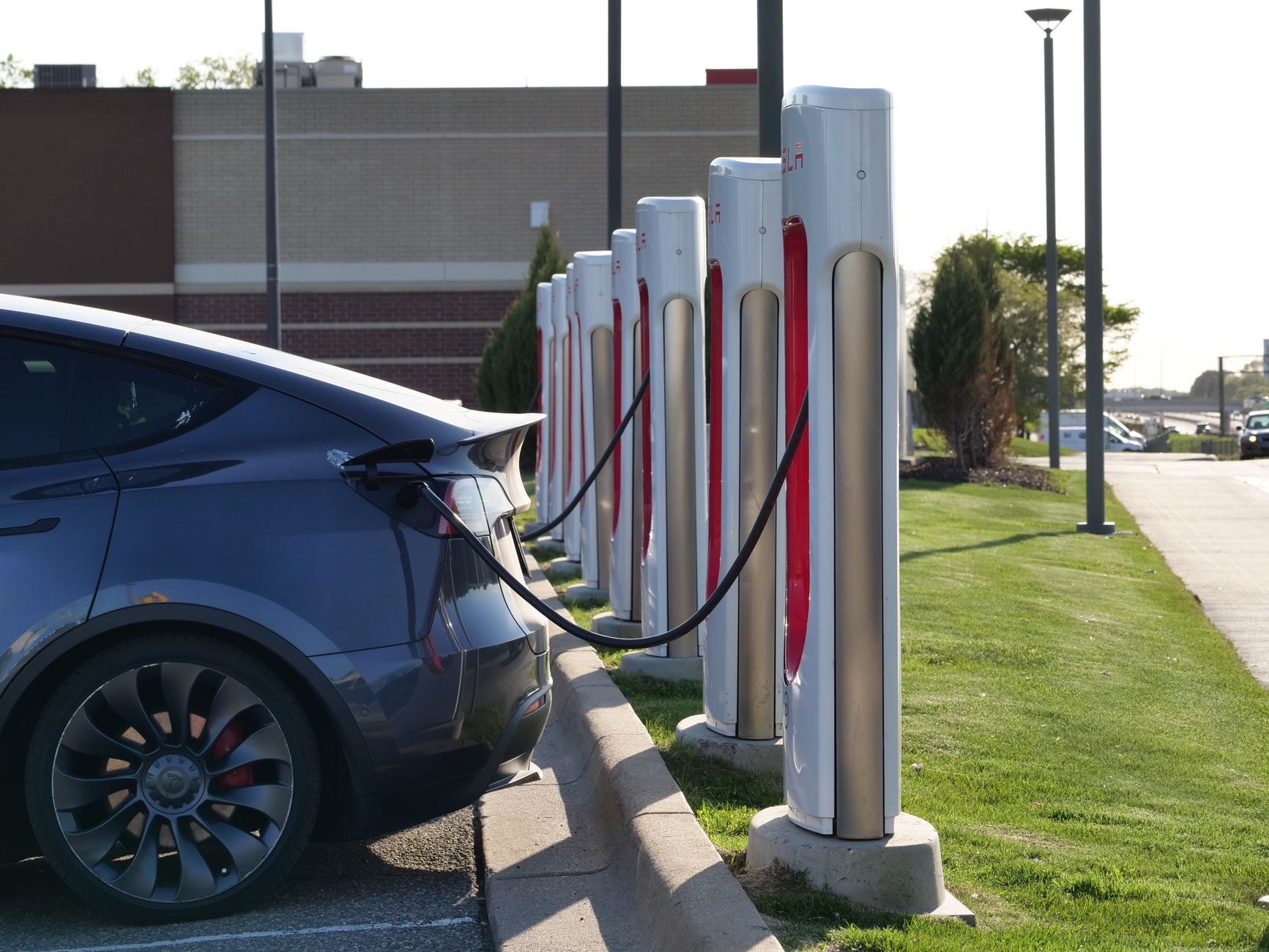
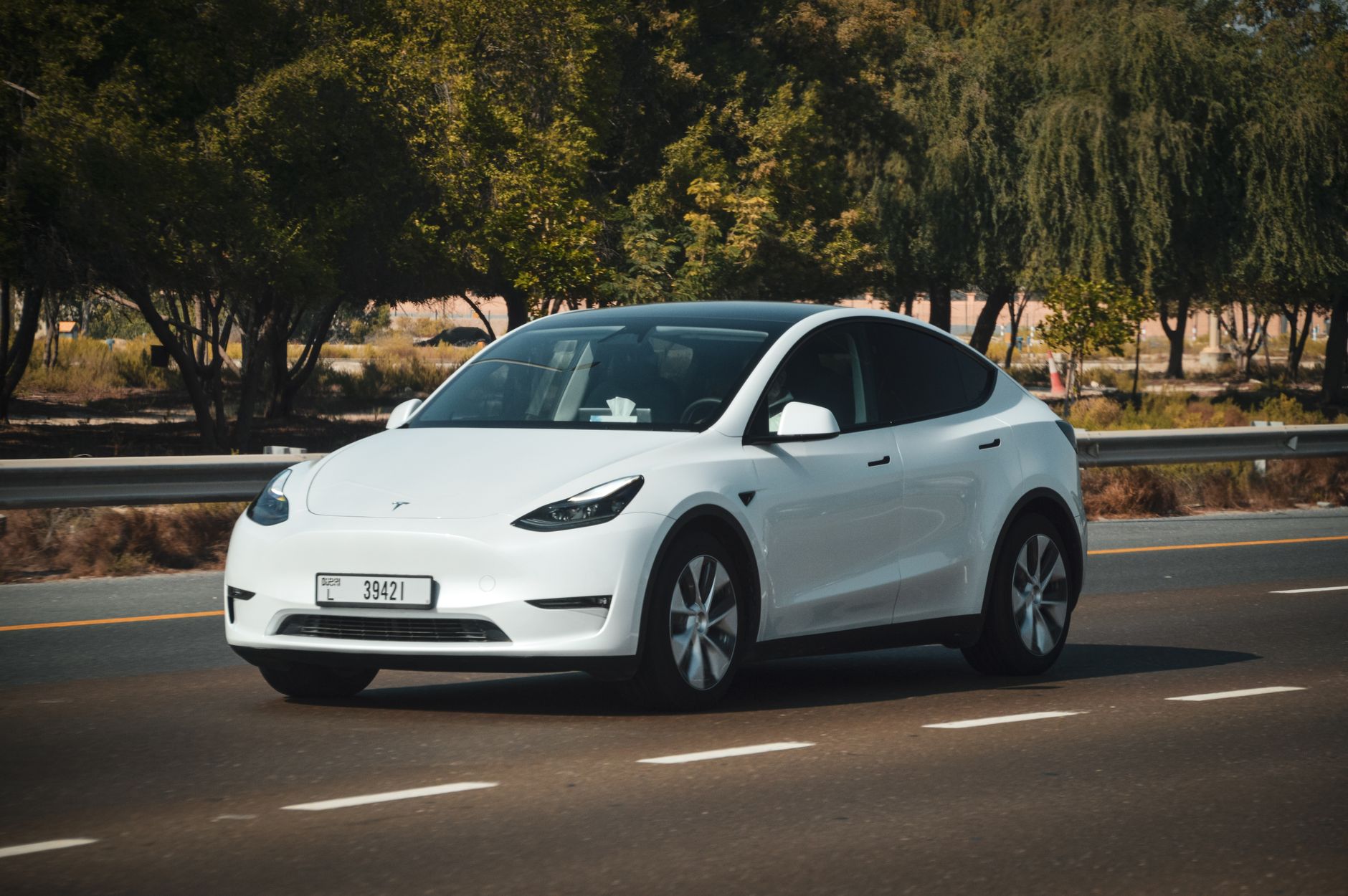
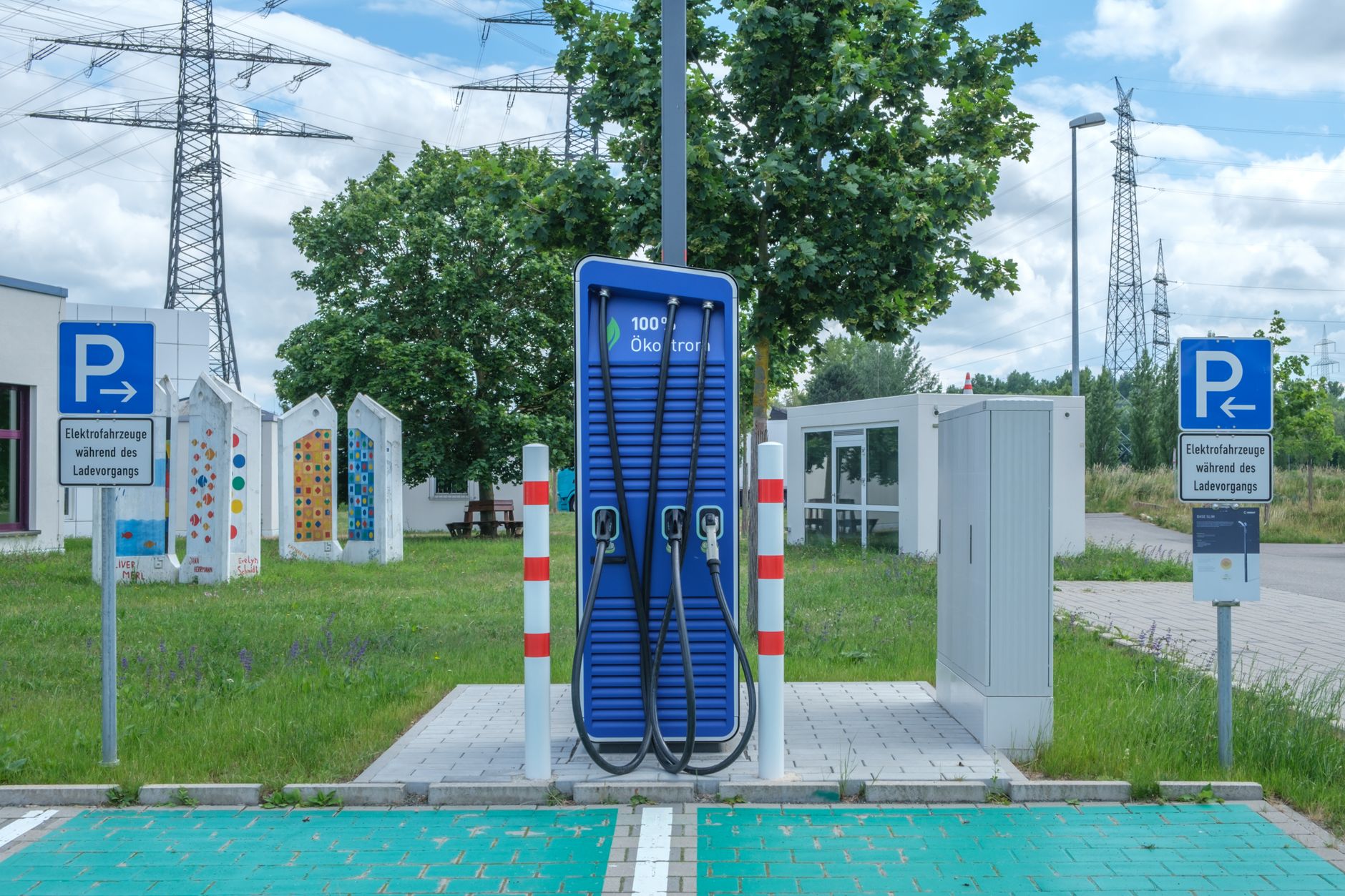
    The Supercharger network you rely on isn’t just for Teslas anymore. Tesla has been opening stalls to other brands’ EVs for a couple of years now, and the rollout has reached the point where it changes what you can expect at a busy station.

    Most of the network is now shared

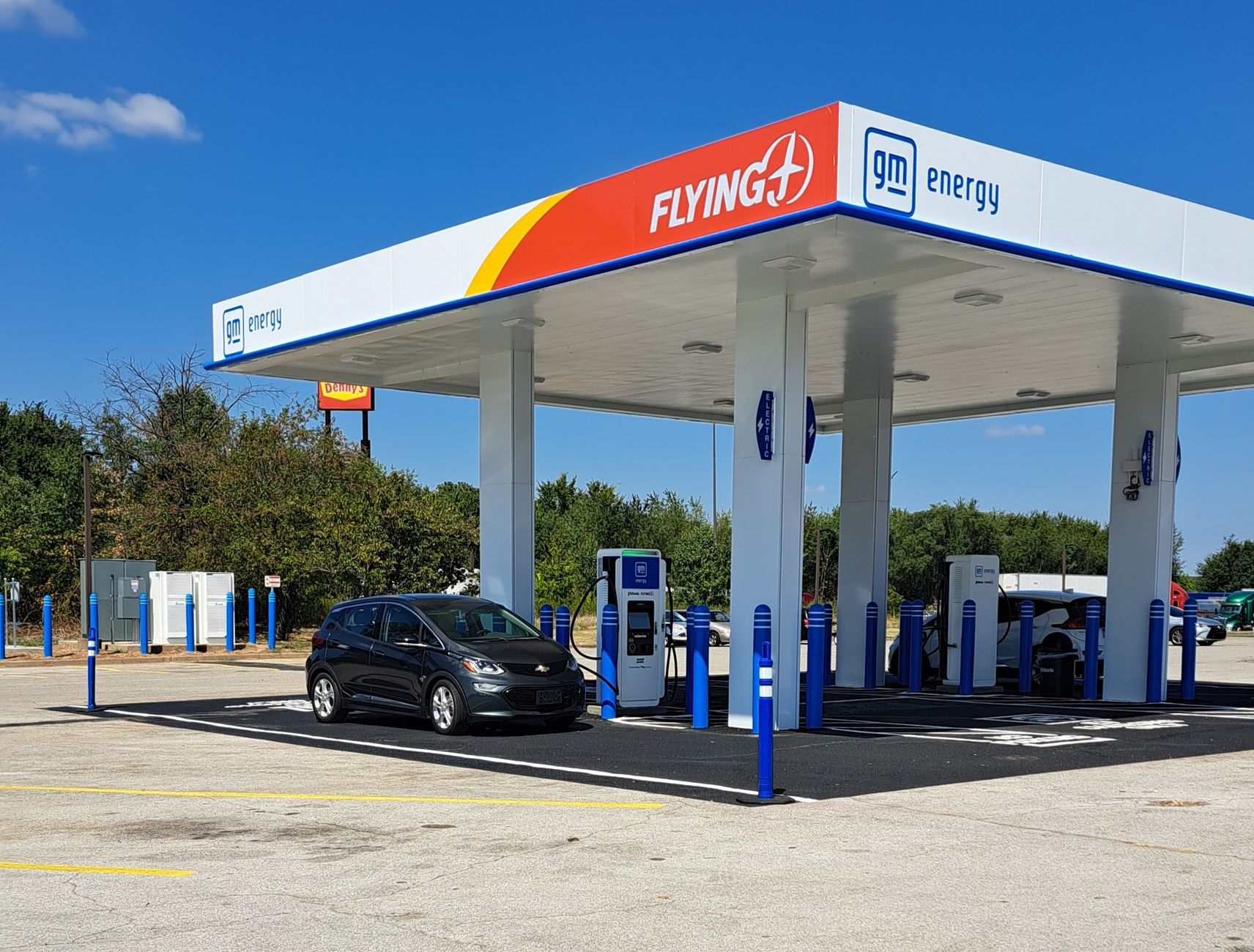
    As of April 2026, about 70% of Tesla’s roughly 80,000 Supercharger stalls — across roughly 60% of sites — are open to non-Tesla EVs, according to independent tracking data cited by evchargingstations.com (April 1, 2026) and separately confirmed by Electrek (May 12, 2026). InsideEVs lists Ford, GM’s brands, Rivian, Hyundai/Kia/Genesis, Volvo, Polestar, Nissan, Lucid, Mercedes-Benz, Honda/Acura, Audi, Porsche, Toyota, Volkswagen, BMW, and Stellantis brands as having confirmed access as of March 2026. Tesla is also still growing the network itself — it added roughly 2,500 stalls in the first quarter of 2026 alone.

    How other EVs actually plug in

    If your Tesla uses the standard NACS plug, nothing changes for you. Other automakers’ EVs either come with a manufacturer-supplied adapter that lets their CCS1 charge port work with a NACS stall, or use Tesla’s “Magic Dock” stalls, which have a built-in adapter on the pedestal. Tesla’s own support page describes both options. Magic Dock stalls are a shrinking share of new installs, though — most new Supercharger sites are NACS-only, and most automakers now sell their own adapter instead, according to Recharged’s tracking of Magic Dock locations.

    What it means for wait times

    Tesla has said long waits happen in about 1% of charging sessions, but with 53 million sessions in the first quarter of 2026 alone, that’s still hundreds of thousands of instances of someone waiting, per Electrek. Tesla is piloting a virtual queue system at five locations as of May 2026 to manage it, though it’s honor-system only for now, not enforced at the stall. If you hit a full station, Tesla’s existing idle-fee policy still applies once your car reaches 80% charge or your session ends at a busy site — a 5-minute grace period to unplug, per Tesla’s support page, so don’t treat a Supercharger stop as a place to leave your car parked.

    What it means for pricing

    Tesla has said non-members pay roughly a 40% premium over what Tesla vehicles pay without a paid membership; Electrek’s own pricing checks in April 2026 found the real-world gap closer to 30-35% at the locations it checked. That premium is what non-Tesla drivers pay, not something that changes your own per-kWh rate as a Tesla owner.

    Bottom line

    You’ll likely see more non-Tesla EVs at Superchargers than you used to, especially at busy sites near highways. Nothing about how you charge changes, but it’s worth knowing why a station might be fuller than it used to be — and why Tesla is starting to test queueing tools to manage it.

    Photo by Reinhard Bruckner.
  • Tesla Supercharger Idle Fees: What They Cost and How to Avoid Them

    Tesla Supercharger Idle Fees: What They Cost and How to Avoid Them

    If you leave your Tesla plugged in at a Supercharger after it’s done charging, you can get charged for the time you sit there. Tesla now calls this a congestion fee, though most owners still know it by its older name, the idle fee. Here’s when it applies, what it costs, and how to make sure it never shows up on your bill.

    According to Tesla’s own support page, a congestion fee applies only when a Supercharger site is busy and one of two things is true: your battery is already at or above 80%, or your charging session has already ended. In other words, you generally will not be charged just for stopping to charge during a slow, uncrowded visit. The fee exists specifically to keep stalls open at busy locations.

    You are not charged the instant your session ends or your battery crosses 80%. Tesla gives you a five-minute grace period to disconnect your vehicle and leave before fees start. If you unplug and pull out within that window, you pay nothing extra.

    As for cost, Tesla publishes a per-minute rate by country on its fee page, and as of this writing the listed rate for the United States is $0.50 per minute. Rates differ outside the U.S. because Tesla lists them by local currency, so if you’re charging abroad, check the same page for the number that applies where you are. Tesla’s page doesn’t spell out a higher tier for when a station is completely full, though some third-party pricing trackers have reported rates reaching roughly $1.00 per minute at fully occupied stations as of June 2026. Since Tesla doesn’t confirm that tier on its own site, treat it as a possibility rather than a guarantee, and use the app to see the exact rate at your specific stall before you assume anything.

    How you’ll know a fee applies

    You don’t have to guess. Tesla says you’ll be notified on the vehicle touchscreen and in the Tesla app if congestion fee conditions are met, and you can check the battery threshold where fees kick in in both places as well. Once you unplug, whatever you owe is billed automatically to the payment method saved in your Tesla app, the same way your charging session itself is paid for.

    How to avoid the fee entirely

    • Treat the charging-complete notification as a real alert, not a suggestion. Head back to your car within five minutes of your session ending or your battery hitting 80% if the station looks busy.
    • At quieter Superchargers with open stalls, this generally isn’t something to worry about, since the fee is tied to the site being busy in the first place.
    • If you know you’ll be away from the car, don’t start a Supercharging session you can’t return to promptly. Consider topping off at your next stop instead.
    • Charging past 80% at a crowded Supercharger is the situation most likely to trigger a fee, so if you’re on a road trip and the stalls are full, charging to what you need for the next leg rather than to 100% keeps you clear of it.

    The short version: idle, or congestion, fees are Tesla’s way of keeping Supercharger stalls moving at busy locations. They’re avoidable in almost every case just by watching your phone or the car’s screen and moving your car once you’re done.

    Photo by Kindel Media.

  • How Tesla’s Trip Planner picks your charging stops.

    How Tesla’s Trip Planner picks your charging stops.

    Tesla’s Trip Planner does the math so you don’t have to: enter a destination, and it figures out whether you need to charge, where, and for how long. Here’s what’s actually happening behind the scenes, based on Tesla’s official owner’s manual.

    When you enter a destination that requires charging, Trip Planner “selects a route and provides charging times to minimize the amount of time you spend driving and charging,” per the manual. That’s a real optimization, not just a search for the nearest chargers — it balances route and charging time together, which sometimes means skipping a slightly closer Supercharger for one that lets you charge less overall.

    To do that, your car estimates the energy you’ll use based on “driving style (predicted speed, etc.) and environmental factors (wind speed and direction, ambient and forecasted temperatures, air density and humidity, etc.),” according to Tesla. In plain terms: how fast you tend to drive and the weather along your route both shape the plan. Tesla also says the car “continuously learns how much energy it uses, improving accuracy over time,” so Trip Planner estimates tend to get more accurate the longer you’ve owned the car.

    One detail owners often miss: when Trip Planner is routing you to a Supercharger, your car may use some of its own energy to preheat the battery before you arrive, so it’s at an ideal temperature for fast charging. Tesla says this “reduces charging time” once you’re plugged in — it’s part of why a cold battery charges more slowly than one that’s been preconditioned.

    To actually plan a trip, open the Tesla app, go to the location section, tap navigate, and enter your destination, according to Not a Tesla App’s walkthrough of the feature. The app shows your estimated arrival time, current and projected battery percentage, which Superchargers you’ll pass, and how much to charge at each one. From there, you send the plan to your car. It’s worth knowing the feature’s limits, too: Trip Planner doesn’t support adding custom waypoints or extra charging stops beyond what it recommends, and a planned trip can’t be saved — it has to be sent to your car right after you plan it.

    The practical takeaway: Trip Planner works best when you let it do the routing rather than second-guessing it. If you want to add a stop it didn’t plan for — a restaurant, a friend’s house — plan that separately, since Trip Planner won’t fold custom waypoints into its charging math.

    Photo by Andrew Seltz.

    Photo by Andrew Seltz.

  • Tesla is running a free Supercharging contest through the end of 2026.

    Tesla is running a free Supercharging contest through the end of 2026.

    Tesla is running a yearlong contest that rewards its heaviest Supercharger users with free charging for as long as they own their car, according to Tesla’s official contest page. Nine drivers will win: three from the Americas, three from Asia-Pacific and Oceania (excluding China), and three from Europe, the Middle East and Africa.

    Each region awards one winner in three categories. “Longest Trip” goes to the driver with the longest streak of visits to unique Supercharger locations, where a new stop within 24 hours of the last one extends the streak. “Most Unique Sites” goes to whoever visits the most different Supercharging locations over the year. “Most Energy” goes to the driver who charges the most total kilowatt-hours at Superchargers. Repeat visits to the same site are allowed but don’t extend a streak, per Tesla.

    The competition runs the full 2026 calendar year, from January 1 through December 31, so it’s already more than half over — but there’s still time to build a streak or add kilowatt-hours for the second half. Winners are notified in January 2027, and free Supercharging is applied to winning accounts before March 1, 2027, according to Tesla.

    Not everyone qualifies. Tesla excludes vehicles that already have free Supercharging, cars used commercially for ride-share or delivery, Tesla employees and their families, and drivers outside the three competition regions. Your region is assigned based on where most of your 2026 charging actually happens, not where you live.

    To participate, make sure your Tesla app is on its latest version and that “Share Charging Data with Tesla App” is turned on in your car’s settings — Tesla uses that data to track standing. You’ll also need to enroll through the 2026 Passport feature in the app before January 1, 2027. There’s no purchase or extra payment required beyond your normal charging costs, and Tesla calculates final standing from your last charging visit before the new year.

    InsideEVs reported on the contest in June, noting Tesla operates roughly 3,000 Supercharger locations in the U.S. alone — part of a global network Tesla says has grown past 80,000 Superchargers worldwide, giving contestants plenty of ground to cover.

    Checking your standing costs nothing: open the Tesla app, find the Passport or charging badges section, and see where you land. For most owners this won’t change day-to-day driving, but if you’re already logging serious road-trip miles, it’s a free entry into a contest you might already be winning.

    Photo by Giant Asparagus.

    Photo by Giant Asparagus.

  • Charging your Tesla where there’s no Supercharger.

    Charging your Tesla where there’s no Supercharger.

    Every Tesla built for North America already has the plug it needs for a Supercharger: the NACS connector, no adapter required. But Superchargers aren’t the only fast chargers out there, and knowing how to reach the rest of the network matters on longer trips.

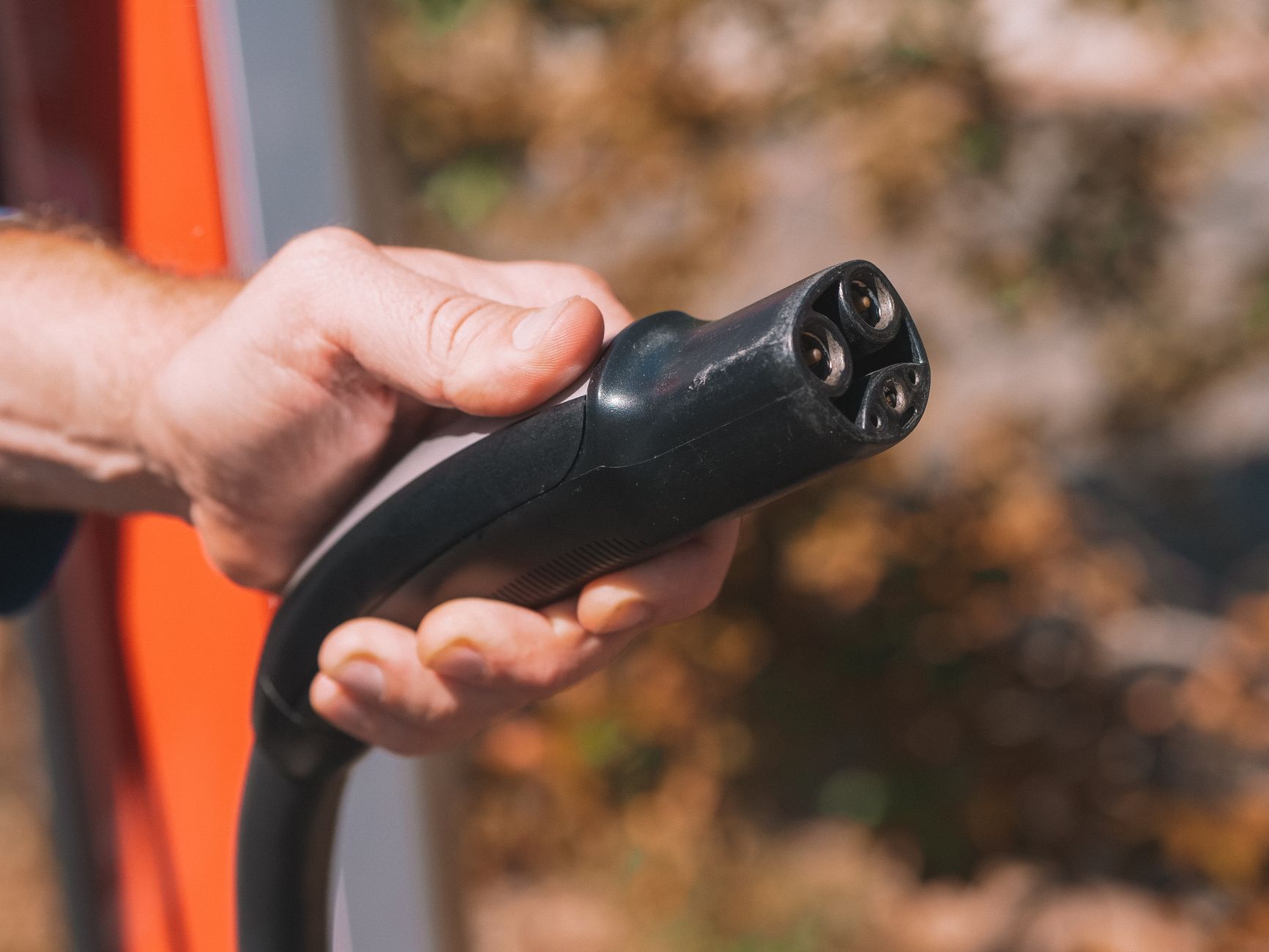
    Most non-Tesla DC fast chargers — from networks like Electrify America, EVgo, and ChargePoint — still use the older CCS1 connector, which doesn’t fit a Tesla’s port on its own. To use one, you need Tesla’s own CCS1 to NACS Adapter, currently listed at $200 in Tesla’s shop (price and stock status change, so check the listing before buying — it’s shown as out of stock as of this writing). It supports charging speeds up to 250 kW and works with Model 3 and Model Y directly; Model S and Model X built before the adapter was standard need a retrofit, which Tesla bundles with the adapter for $280 total.

    The reverse situation — other EVs plugging into Tesla Superchargers — gets more attention, but the adapter works both ways in the sense that it’s the same NACS-to-CCS1 conversion, just used from the Tesla side to reach a CCS1 plug.

    Is it worth buying?

    For most owners who charge at home and use Superchargers on trips, the answer is no — not yet. Tesla operates close to 35,000 of its own NACS-native fast-charging stalls in the US, while non-Tesla networks had roughly 1,550 non-Tesla NACS stalls total as of late 2025, per a tracking report from EVChargingStations.com — meaning most of what a CCS1 adapter unlocks is still the older CCS1 plug type, not a native NACS stall. That gap is closing: the same report notes ChargePoint has been rolling out dual-headed cables (CCS1 and NACS on the same charger, marketed as “Omni Port”) specifically to make old and new EVs work at the same stalls without an adapter at all.

    Where the adapter earns its keep is route planning in areas with sparse Supercharger coverage, or as a backup when a Supercharger station is full or offline. If you regularly drive through regions where Tesla’s own network is thin, it’s a reasonable $200 insurance policy. If your driving stays within range of Tesla’s Supercharger map, you likely won’t need it.

    Before buying, check current Supercharger density along your usual routes in the Tesla app’s trip planner. If gaps show up, that’s your signal the adapter is worth the price — not a fixed rule that every owner needs one.

    Photo by Reinhard Bruckner.

  • Home Charging vs. Supercharging: What a Tesla Actually Costs to Charge

    Home Charging vs. Supercharging: What a Tesla Actually Costs to Charge

    The honest answer is: it depends on where you live, which Tesla you drive, and whether you’re charging at home or on a road trip. But the math is straightforward once you have three numbers — your electricity rate, your car’s efficiency, and Tesla’s Supercharger pricing — so here’s how to run it yourself.

    Home charging cost starts with your local electricity rate. The national average price U.S. households paid for residential electricity was 18.83 cents per kilowatt-hour as of April 2026, according to the U.S. Energy Information Administration. That’s a national blended average — rates run lower in parts of the Midwest and South and considerably higher in California, the Northeast, and Hawaii — so pull up your own utility bill for a more accurate number.

    Next is how efficiently your Tesla uses that electricity. Based on EPA testing, a Model 3 consumes about 256 Wh per mile (3.9 miles per kWh), while a Model Y Long Range AWD uses about 288 Wh per mile (3.5 miles per kWh) — the Model Y’s larger, less aerodynamic body draws more power per mile than the smaller Model 3. Performance trims and larger wheel options use somewhat more energy per mile.

    Multiply those two numbers together and you get cost per mile. For a Model 3 at the national average rate: 0.256 kWh/mile × $0.1883/kWh is about 4.8 cents per mile, or roughly $4.82 to drive 100 miles. For a Model Y Long Range: 0.288 × $0.1883 is about 5.4 cents per mile, or roughly $5.42 per 100 miles. Swap in your own utility rate and your car’s actual efficiency (shown on the trip screen) to get your own number.

    Supercharger pricing works differently, and Tesla doesn’t publish one flat national rate. Tesla bills most Supercharger sessions by the kWh, but the company uses “live pricing” at many stations, adjusting the rate in real time based on how busy the site is — plug in during a quiet stretch and you pay less; arrive when every stall is full and the price rises to spread out demand. Tesla also layers on a separate per-minute “congestion fee” if you leave your car plugged in after it finishes charging, which is a parking penalty, not a charging cost.

    Because pricing is dynamic and location-specific, there’s no single “Supercharger rate” to quote. As a representative range, InsideEVs has cited MotorTrend estimates putting typical Supercharger pricing between roughly 25 and 50 cents per kWh — call it double to triple the national home-charging average, though your local price could land outside that range. Using that range, a Model 3 would cost roughly $6.40 to $12.80 to Supercharge 100 miles’ worth of energy, and a Model Y Long Range roughly $7.20 to $14.40 — noticeably more than charging at home, even at the low end.

    Scale that to a typical month. An owner driving around 1,000 miles would spend roughly $48 to $54 charging a Model Y exclusively at home, versus roughly $72 to $144 doing all of that charging at Superchargers. Most owners land somewhere in between: home charging for daily driving, Supercharging occasionally for longer trips.

    There’s one more cost to factor in if you’re charging at home: installing a Level 2 charging station. A dedicated 240-volt home charger — including the hardware and an electrician’s labor to run the circuit — typically costs between roughly $750 and $2,600, depending on how far your electrical panel is from where you park and whether the panel needs upgrading. It’s a one-time expense, and for most owners the savings from home charging pay it back within a year or two.

    The takeaway: home charging is consistently the cheaper option, often by half or more, because you’re paying your utility’s flat residential rate instead of a premium, demand-based network rate. Superchargers remain useful — and often still cheaper than gasoline — for road trips or when home charging isn’t available, but for everyday driving, plugging in overnight at home is where the real savings are.

    Photo by Rathaphon Nanthapreecha.

  • Plan your first Tesla road trip this summer.

    Plan your first Tesla road trip this summer.

    Summer is peak road-trip season, and a Tesla makes long-distance driving easier than most people expect, as long as you understand two things going in: how the car plans your charging stops, and how much range you actually get once you’re holding highway speed. Here’s what a first-time Tesla road-tripper needs to know before pulling out of the driveway.

    Let the car plan your route

    You don’t need a third-party app to plan a Tesla road trip. Type your destination into the touchscreen, and Navigation identifies the fastest route along with the most convenient places to charge along the way. If your trip is long enough to require a charge, Trip Planner automatically builds Supercharger stops into your turn-by-turn directions, showing a recommended charging time at each stop and how much battery you’ll have when you arrive. The estimates update as you drive, accounting for real-time traffic, weather, and elevation change, and the car starts warming or cooling the battery before you reach a Supercharger so it’s ready to accept a faster charge the moment you plug in.

    You’re not locked into whatever the car suggests. You can remove a Supercharger stop from your route, and navigation also shows charging options at hotels, restaurants, and shopping centers if you’d rather charge somewhere with more to do while you wait, according to Tesla’s own travel-planning guidance.

    How big the Supercharger network is right now

    The scale of the network is a big reason Tesla road trips have gotten less stressful over the years. Tesla says it operates more than 80,000 Superchargers worldwide, and tracking of Tesla’s own quarterly data puts the total at roughly 79,900 charging stalls across more than 8,460 stations globally as of the first quarter of 2026, with U.S. locations alone topping 3,000 stations. The network grew about 19% year over year in that period, so new stations keep filling in gaps along popular routes. In practice, most interstates in the U.S. now have Superchargers spaced closely enough that you’re rarely far from one, even in less-traveled corridors.

    How fast you can actually charge

    Charging speed depends on your car, the specific stall, and how full your battery already is. By Tesla’s own figures, a Model 3 can add up to 175 miles of range in 15 minutes, a Model Y up to 162 miles, and a Model S up to 200 miles, under ideal conditions. Newer “V4” Supercharger stalls can push more power to vehicles built for it, up to 325 kilowatts as of January 2025, but current Model 3, Model Y, Model S, and Model X vehicles still cap out around 250 kW because of how their battery packs are built, so plugging into a newer stall won’t necessarily speed up your specific car.

    Charging also isn’t a flat rate the whole way. Your car pulls power fastest when the battery is low, and Tesla may automatically cap your charge limit at 80% at busy Supercharger locations to reduce congestion. That’s part of why the practical road-trip strategy is to charge to around 80% and get back on the road, rather than waiting around for a full battery.

    Your real range on the highway

    The range number on your car’s window sticker is an EPA combined estimate, and it leans toward city driving, where EVs are most efficient. Sustained highway speed tells a different story. Tesla’s own guidance notes that doubling your speed can require up to four times as much energy per mile, because aerodynamic drag rises sharply as you go faster. Independent testing backs this up: a widely cited 2023 study built on Car and Driver’s steady 75-mph highway test found the average EV fell about 12.5% short of its EPA-rated range, while gasoline vehicles in the same test actually beat their window-sticker numbers by about 4%.

    The takeaway: don’t plan a trip assuming you’ll get the full EPA number between charges. Budget for meaningfully less once you’re holding 75-80 mph on the interstate, and let Trip Planner’s live, in-car estimates, which account for your actual speed, elevation, and weather, guide your stops rather than the spec-sheet figure.

    How to cut down on charging stops and time

    A few habits make a real difference in total trip time:

    • Check tire pressure before you leave. Underinflated tires increase rolling resistance and hurt range, according to Tesla’s range guidance.
    • Take off roof racks or bike carriers you’re not using. Anything that adds drag costs you range at highway speed, per the same Tesla guidance.
    • Close the windows and keep cargo weight down for the same reason; both are on Tesla’s list of range-maximizing habits.
    • Set regenerative braking to Standard to conserve range during deceleration, a setting Tesla specifically recommends for road trips.
    • Charge to around 80%, not 100%, at Supercharger stops. Since Tesla’s own system already leans on 80% as a practical charge target at busy stations, treat it as your default too and get back on the road instead of topping off slowly.
    • Navigate to the Supercharger instead of just typing in the address separately, so the car preconditions the battery and it’s warm and ready to accept a fast charge when you arrive.
    • Watch the Energy app, not the range estimate, for a real-time read on how your speed and driving style affect consumption.

    None of this requires special planning software or a lot of EV experience. Type in your destination, let Trip Planner build the route, budget for highway range that runs meaningfully below the window-sticker number, and treat each Supercharger stop as a 15-to-25-minute break rather than a full recharge. For most summer trips within a few hundred miles of home, that’s really all the planning a first-time Tesla road-tripper needs.

    Photo by Saksham Vikram.