Blog

  • What your first ride with Full Self-Driving is actually like

    What your first ride with Full Self-Driving is actually like

    Most people’s first exposure to Full Self-Driving is from the passenger seat, and the reaction is usually the same two-part surprise: the car handles more than they expected, and it never stops needing the driver.

    What the software is, in Tesla’s own words

    The name oversells it, and Tesla’s own release notes are the correction. The official notes shipped with the v14 software state that FSD (Supervised) “does not make your vehicle autonomous” and that the driver must “remain attentive and be ready to take over at any time.” Tesla’s Autopilot support page says the same thing more plainly: “It is your responsibility to stay alert, drive safely and be in control of your vehicle at all times.”

    That is not fine print to skim past. It is the operating instruction for the entire feature, and it applies for every second the system is on.

    What to expect in the first ten minutes

    Expect the car to be more cautious than you are in some places and more decisive than you’d be in others. Expect to keep your hands ready and your eyes forward — the cabin camera and steering-wheel checks are watching for exactly that. And expect the first few interventions to feel abrupt, because taking over is a reflex you have to build rather than one you already have.

    Passengers often notice something drivers miss: the ride reveals what the software is doing before it does it, through the visualization on screen. Watching that is a faster way to build trust — or to spot what it hasn’t seen — than watching the road alone.

    Before you turn it on

    Know what it costs and how you’re paying for it. We cover what Full Self-Driving actually costs separately, and which software your car can run depends on its Autopilot computer — see the v14 Lite build for Hardware 3 cars if yours is a 2023 or earlier Model 3 or Model Y.

    Someone else’s first ride

    Recharge and Roam films first-time FSD reactions, and this one from August 7, 2026 is a good version of the ordinary case — no drama, just a passenger recalibrating:

    One ride is one ride. What the system requires of you doesn’t change with the passenger’s reaction, and the sources above are where that requirement is written down.

    Photo by Danik Prihodko.
  • How many days of driving one charge actually covers

    How many days of driving one charge actually covers

    New owners tend to plan around charging the way they planned around gas stations: a trip you make when the gauge gets low. After a few weeks most people stop thinking about it, and the reason is arithmetic.

    How far people actually drive

    The average day is shorter than it feels. Using National Household Travel Survey data, the U.S. Department of Energy reported that the average daily mileage in a one-vehicle household is about 30 miles, rising to roughly 40 miles for the first vehicle in a two-car household. That is DOE’s 2018 write-up of the 2017 survey — the most recent version of that figure it published — so treat it as a general shape rather than a current-year number.

    Set that against the car. Edmunds’ 2026 Model 3 pricing guide, published July 11, 2026, lists 321 miles of EPA-estimated range for the Standard and 363 miles for the Premium rear-wheel-drive. At 30 to 40 miles a day, a full charge is roughly a week of ordinary driving.

    Which is why you plug in, not fill up

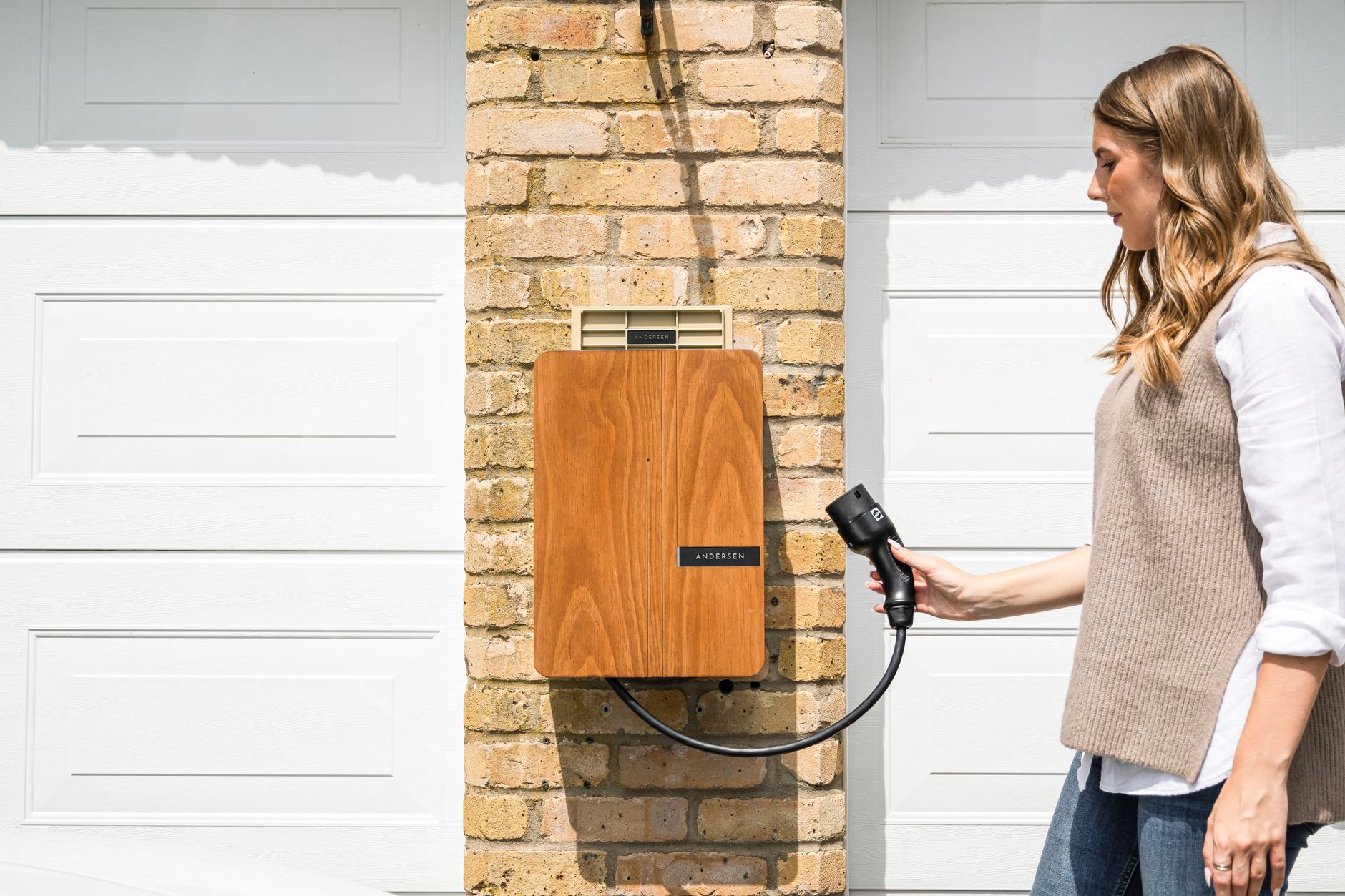
    That is the habit shift. You are not driving to empty and then refilling; you are topping up overnight in a garage or a driveway. Tesla’s charging support page makes the same point about the slowest possible setup: if you charge overnight and drive less than 30 to 40 miles per day, even a standard household outlet “should meet your typical charging needs.”

    Two caveats keep this honest. EPA range is a test figure, not a promise — cold weather, highway speed and a loaded car all cut into it, which we cover in why your rated range and your actual range don’t match. And most owners do not charge to 100% daily; see how much to charge every day for what limit to set. A daily 80% limit on a 320-mile car still leaves you around 250 miles, which is still most of a week for most people.

    What it looks like in practice

    Kim Java went a week without plugging in and made a video about how unremarkable it turned out to be:

    One driver’s week is not a range test, and her mileage is not yours. The point of the video is the behavior, not the number: once charging happens where you park, the question stops being when to charge and becomes whether you remembered to plug in.

    Photo by Andersen EV.

  • What to buy first for a new Model 3 or Model Y

    What to buy first for a new Model 3 or Model Y

    A new Tesla arrives with a long list of things people say you need. Most of them can wait. Two categories cannot.

    Charging, before anything else

    How you charge at home decides how the car fits your life, so settle it first. Tesla’s own support pages put numbers on the difference: a Mobile Connector in a standard household outlet provides charging speeds up to 3 miles of range per hour, while a 240-volt outlet provides up to 30 miles of range per hour depending on the model.

    That gap is the whole decision. Tesla notes on its charging support page that if you charge overnight and drive less than 30 to 40 miles per day, a standard outlet “should meet your typical charging needs.” Drive more than that, or park for fewer hours, and you want a 240-volt circuit. Our guide to choosing a home Level 2 charger covers what to ask an electrician before you buy hardware.

    Protection, while the car is still new

    The second group is the things that stop wear before it starts: floor mats if you live somewhere with real weather, and a windshield sunshade if you park outside in summer. Both are cheap, both are easier to buy now than to regret later. We have separate guides on all-weather floor mats and windshield sunshades.

    What can wait

    Almost everything else. Screen protectors, console organizers, wheel covers, aftermarket phone mounts, lighting kits — none of it changes whether the car works, and a month of driving tells you which annoyances are real and which you imagined. Buying later also avoids the most common accessory mistake, which is fit. Tesla has revised the Model 3 and Model Y interiors more than once, so an item that fits a 2021 car may not fit a 2026 one. Check the model year and trim in the listing, not just the model name.

    A roundup worth watching first

    Ryan Shaw runs a regular accessories roundup for the current Model 3 and Model Y. This one is from May 7, 2026, so it reflects the current cars rather than the older interiors:

    Treat it as a shopping tour rather than a verdict — it is one creator’s picks, prices move, and the charging decision above matters more than anything on the list.

    Photo by Emre Kalyoncu.

  • Can you buy a Tesla for under $40,000 in 2026?

    Can you buy a Tesla for under $40,000 in 2026?

    Yes — but only just, and only on one trim. Here is the arithmetic before you start configuring.

    The starting number

    The cheapest new Tesla is the Model 3 Standard. In Edmunds’ 2026 Model 3 pricing guide, published July 11, 2026, it lists at $38,380 including the mandatory $1,390 destination fee — $36,990 before destination — with 321 miles of EPA-estimated range. The next step up, the Premium rear-wheel-drive, lists at $43,880 with destination and 363 miles of range.

    So one trim clears the $40,000 bar on paper, and the rest of the lineup does not. Prices change, sometimes without notice, so treat those as figures as of July 2026 and confirm the current number on Tesla’s design page before you order.

    What the sticker does not include

    Destination is in the number above. Sales tax, title and registration are not, and those are set by your state, not by Tesla. There is also an order fee at checkout — we break down what Tesla’s destination and order fees actually cover separately. On a $38,380 car, taxes and registration can easily add a few thousand dollars depending on where you register it.

    The federal credit is not coming back to help

    If you are working from an older buyer’s guide, check the date on it. The IRS states plainly that the New Clean Vehicle Credit “is not available for vehicles acquired after Sept. 30, 2025”. The used-EV credit ended on the same date. Any 2026 budget that assumes $7,500 back at tax time is off by $7,500.

    State and utility programs are a different story — several are still running, and some open and close funding windows during the year. Those are worth checking before you order, because a few of them are claimed at the point of sale rather than at tax time. Our guide to finding state and utility EV incentives covers how to look yours up.

    The used and inventory route

    The other way under $40,000 is not a new car at all. Tesla sells used inventory directly, and existing new inventory cars — already built, sitting at a delivery center — are sometimes discounted against a custom order. Neither is a fixed price you can plan around months ahead; both are worth checking the week you are ready to buy.

    Kim Java walked through the same question on her channel, including what the cheapest configuration actually gets you:

    Her video is a useful walkthrough of the ordering screens; the pricing above comes from the published sources linked, and those are what to check against on the day you order.

    Photo by I’m Zion.

  • Tesla is shipping a second FSD v14 Lite build to Hardware 3 cars

    Tesla is shipping a second FSD v14 Lite build to Hardware 3 cars

    Tesla has started pushing a revised version of FSD (Supervised) v14 Lite to its older Hardware 3 cars. Tesla Oracle reported on August 11, 2026 that the new build is called FSD v14.1 Lite and ships inside firmware version 2026.21.6, and that it began as a limited early-access release around August 8–9 rather than going out to every eligible car at once.

    What v14 Lite was meant to do

    Hardware 3 is the Autopilot computer in Model 3 and Model Y cars built roughly through 2023. Those cars could not run the full v14 software that newer Hardware 4 cars got, so Tesla built a cut-down version. According to the official release notes for the v14 Lite build, the software “distills” the intelligence of the Hardware 4 version of v14 down to what Hardware 3 can run, and adds parking, unparking and reversing, a dedicated Self-Driving app in the app launcher, a “Start Self-Driving from Park” button, and a new SLOTH speed profile that drives more conservatively than CHILL.

    Those same release notes are blunt about what the software is not. FSD (Supervised) “does not make your vehicle autonomous” and requires the driver to stay attentive and be ready to take over at any time.

    Why there is a second build

    The first v14 Lite release reached Hardware 3 owners in stages through the summer — Tesla Oracle tracked the initial rollout starting in late June with firmware 2026.20.5.1 and a wider release on July 21. After that, some owners reported an Autopilot computer temperature warning, with the car logging the message that the Autopilot control unit board temperature was outside its recommended operating range.

    Tesla Oracle notes that the official release notes did not change between v14 Lite and v14.1 Lite, which suggests the new build is aimed at that thermal behavior rather than at adding features.

    What this means if you own a Hardware 3 car

    Rollouts like this one go out in waves, so a version number appearing in the news does not mean it is waiting on your screen tonight. Check Controls > Software in the car for what your vehicle is actually running. If you have been offered v14 Lite and have seen a temperature warning, the newer build is the one Tesla is moving toward — but as of mid-August 2026 it is still going out gradually.

    Dirty Tesla drove the Hardware 3 version and compared it directly against the Hardware 4 software on their channel:

    That video is one owner’s hands-on impression, not a Tesla statement — useful for seeing how the software behaves on an older car, but the release notes above are the record of what actually shipped.

    Photo by Borys Zaitsev.

  • Moving to a new state with your Tesla? Here’s what to update.

    Moving to a new state with your Tesla? Here’s what to update.

    Buying a Tesla and registering it for the first time is a process Tesla mostly walks you through. Moving to a different state after you’ve already owned the car for a while is not — that part falls entirely on you, and a few Tesla-specific details are easy to miss.

    Registration and title. Every state sets its own deadline for registering a car you’ve brought in from out of state, and its own list of required documents, so there’s no single national rule to follow. USA.gov’s state motor vehicle services directory links directly to each state’s DMV (or equivalent agency), which is the fastest way to find your new state’s actual deadline and paperwork list rather than guessing. In general, you’ll need your current title, proof of residency, and proof of insurance in the new state before the DMV will issue plates — get the insurance piece sorted first, since most states won’t register the car without it.

    Insurance — check this one specifically. If you’re on Tesla Insurance, don’t assume it travels with you. The program isn’t available everywhere: as of its most recent state-by-state tracking, Not a Tesla App lists Tesla Insurance as active in 14 states, including Arizona, California, Colorado, Illinois, Ohio, Oregon, Texas, and Virginia, among others. Move to a state that isn’t on that list and your Tesla Insurance policy won’t be able to follow you — you’ll need to line up a new policy before you drive there, the same way you would with any other insurer. If you’re moving between two states that both offer it, you’ll still need to update the policy’s address and garaging location rather than assume it carries over automatically.

    Your charging setup. This is easy to overlook because it’s not paperwork. If your old home had a dedicated 240V outlet or a hardwired Wall Connector and your new place doesn’t, you’re back to planning around Level 1 (120V) charging or public charging until an electrician can get you set up — worth checking before moving day, not after. And if your new state runs its own EV rebate or utility charging incentive, it’s worth a quick check once you’re settled; those programs vary by state and change often, so treat whatever you read online about your old state’s program as no longer relevant.

    None of this is complicated on its own, but all three pieces have their own timeline, and skipping the insurance check in particular is the one that can actually leave you unable to register the car on schedule.

    Photo by cottonbro studio.

  • Do you need a USB hub for your Tesla?

    Do you need a USB hub for your Tesla?

    Model 3 and Model Y come with five USB ports between them: two USB-C ports in the front center console, two more USB-C ports in the rear console under the vents, and a single USB-A port tucked inside the glovebox. Most owners assume any of them will work for anything. They don’t.

    Only the glovebox port is wired for Sentry Mode and Dashcam recording. According to Tesloid’s breakdown of Tesla’s USB layout, a new Model 3 or Model Y ships with a pre-formatted flash drive already plugged into that glovebox port, specifically because it’s the only one that can save and play back Sentry and Dashcam footage. The four USB-C ports in the console and back seats are for charging and media only — plug a drive into one of those expecting it to record, and it simply won’t.

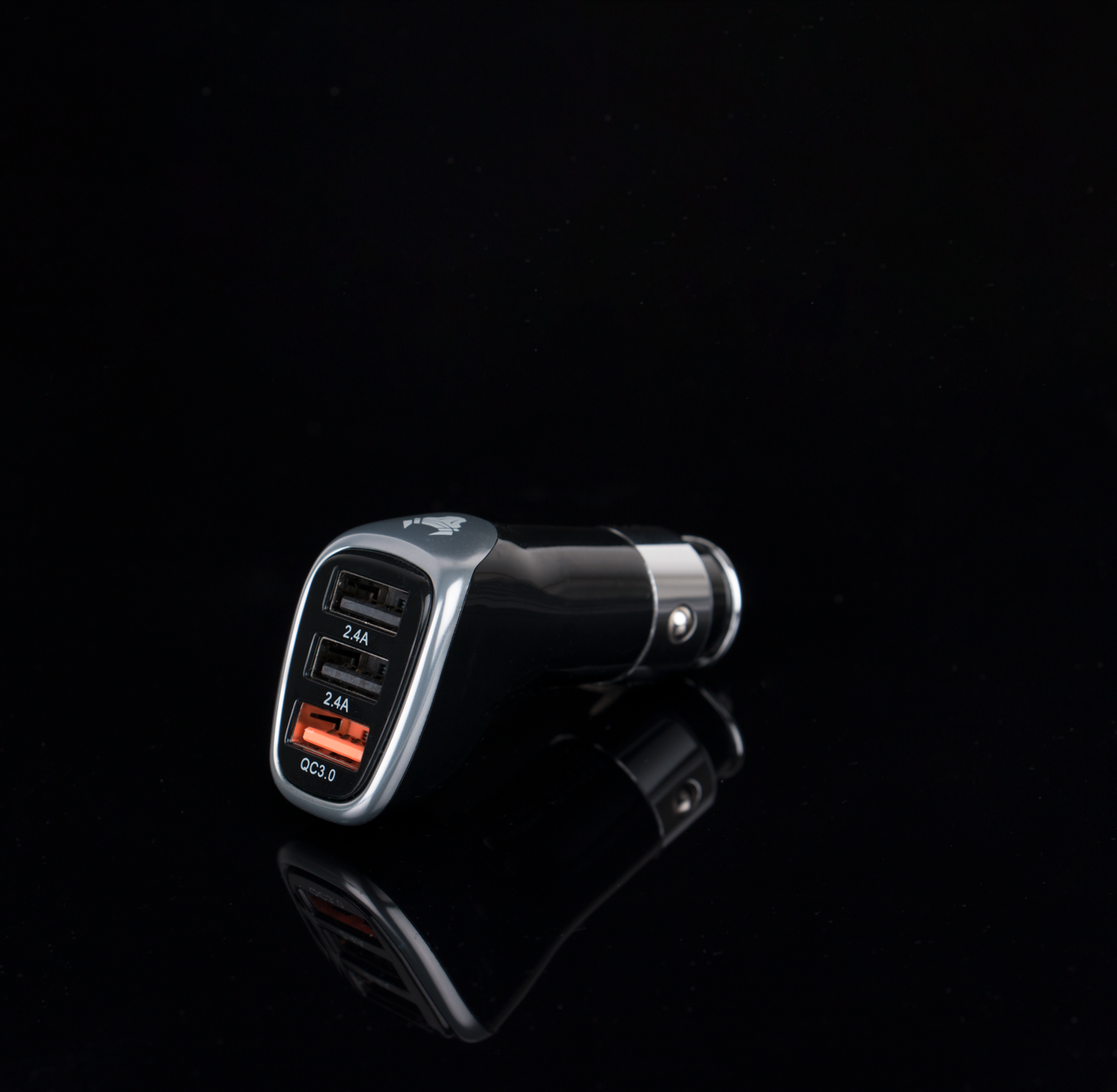
    That’s the real reason a USB hub comes up. If you want your dashcam drive permanently seated in the glovebox and still want to charge a phone from that same port, you’re stuck picking one or the other on a single-port setup. A small hub that plugs into the glovebox port splits it into multiple USB-A and USB-C connections, so the drive stays put for recording while a phone or a second drive shares the same port. Aftermarket hubs built for this — like the Model 3-specific hub sold through Teslarati’s shop — are designed to tuck inside the glovebox and mount the drive with a magnet so nothing rattles loose.

    If you’re not fighting over that one port, skip it. A single owner who just wants Sentry Mode working and doesn’t need to charge anything from the glovebox has no reason to add a hub — the stock setup already covers that. Where it earns its keep is if you’re running a larger dashcam storage drive, want a backup drive swapped in without losing charging, or park a phone charger in the glovebox out of habit. In that case, a $20–$30 hub is a cheap fix for a port conflict Tesla didn’t really design around.

    Photo by Rann Vijay.

  • Tesla’s new Stuck Assist mode is here. Here’s whether your Model 3 has it.

    Tesla’s new Stuck Assist mode is here. Here’s whether your Model 3 has it.

    Tesla’s 2026.26 Summer Update added a feature owners have been asking for since the refreshed Model Y and Cybertruck got it: a traction control mode you can actually choose, instead of one system trying to guess what you need. The new setting lives at Controls > Dynamics > Traction Control Mode, according to Tesla’s official release notes, and it offers three options.

    Auto is the default and resets at the start of every drive. It continuously reads the driving surface and adjusts traction control on its own, which is what every Tesla has done until now. Slippery Surface is built for ice or wet roads and spreads traction evenly across all four tires to keep the car stable. Stuck Assist is the new one everyone’s talking about: it’s meant for snow, mud, or sand, and it deliberately lets the wheels spin more than usual so you can rock the car free, per Tesla’s owner’s manual page on traction control.

    Here’s the catch: this specific software release brought the three-mode selector to the new (2024+) Model 3 specifically. The refreshed Model Y and Cybertruck already had similar traction modes from earlier updates, and Model S and Model X have had selectable modes for a while, according to The Weekly Driver’s coverage of the rollout. If you have an older, pre-refresh Model 3, Tesla hasn’t confirmed whether or when it’s coming.

    Don’t assume your car has it yet, either way. Like every Tesla software release, 2026.26 is rolling out in waves — The Weekly Driver reports it started reaching cars in late July 2026 and is still spreading gradually several weeks later, so delivery timing varies by vehicle. The only way to know for sure is to check Controls > Dynamics yourself after your car updates. If the option isn’t there yet, your car isn’t broken — it just hasn’t gotten its turn.

    For most owners, this won’t come up often. But if you’ve ever spun your wheels trying to get out of a snowy driveway or a soft shoulder after pulling over, Stuck Assist is built for exactly that moment, and it’s worth knowing where to find it before you need it.

    Photo by Wallace Silva.

  • Grok can now make calls and open your glovebox. Here’s whether your Tesla has it.

    Grok can now make calls and open your glovebox. Here’s whether your Tesla has it.

    Tesla’s Grok voice assistant can now do a lot more inside the car than answer questions. As part of the 2026 Summer Update (software version 2026.26), Tesla expanded Grok to place phone calls, search for and play music, adjust the climate system, open the glovebox, and navigate through the Settings menu, in addition to the navigation commands it already handled — according to Tesla’s own support page and confirmed by Not a Tesla App’s breakdown of the update.

    You can reach Grok three ways: tap the App Launcher and select Grok, press and hold the steering wheel’s voice button, or say “Hey Grok” once you’ve turned on that wake word under Controls > Audio > Grok Settings.

    The catch is that not every Tesla can use the expanded version, and it isn’t just about which software version you’re on. Tesla’s support page states Grok requires an AMD processor and vehicle software 2025.26 or later. Not a Tesla App’s reporting is more specific: the vehicle-command features are limited to cars with AMD Ryzen infotainment processors, and are not available on cars still running the older Intel Atom chip — regardless of software version. Tesla switched from Intel to AMD Ryzen in new production starting in late 2021, with the transition largely complete by the second half of 2022, so which chip you have generally comes down to when your car was built.

    To check which one you have, go to Controls > Software > Additional Vehicle Information and look for “Infotainment processor.” It’ll list either Intel Atom or AMD Ryzen. If you see Intel Atom, Grok still works for basic questions and navigation, but you won’t get the phone-call, music, climate, or glovebox commands from this update — and Tesla hasn’t given a timeline for whether or when that will change. You’ll also need an active Premium Connectivity subscription or a stable Wi-Fi connection either way, since Grok doesn’t run without a data connection.

    One more thing worth knowing if you’re outside North America: Tesla has also been widening where Grok’s wake word and vehicle commands work at all, expanding into more of Europe and parts of Asia alongside this update. As with any staged Tesla rollout, treat this as a feature that’s arriving in waves by hardware and region rather than something every owner gets on the same day — if you don’t have it yet on a qualifying car, an upcoming software update is the most likely path to get it, not something you can force today.

    Photo by Shuaizhi Tian.

  • Do you need running boards for your Tesla?

    Do you need running boards for your Tesla?

    Running boards aren’t standard on any current Tesla, and most owners never miss them. But for a few specific situations, they solve a real problem — and aftermarket options exist for nearly every model, from Model Y to Cybertruck.

    The clearest case for them is Cybertruck, simply because of how tall it sits. Aftermarket boards like T Sportline’s AeroMaxx line ($849.95) bolt to the truck’s factory threaded inserts with no drilling, and are deliberately kept within the truck’s frontal area so they don’t stick out past the tires and hurt range or add wind noise. That aero-conscious design is the main tradeoff aftermarket brands are managing: a step wide enough to be useful without turning into a range or efficiency penalty.

    Model X is the other model where boards get requested often, mostly by owners loading kids or gear through the rear doors regularly, where the higher step-in height is more noticeable than on Model 3 or Model Y. Model Y and Model 3 owners generally have a lower, easier step-in already, so boards there are more about convenience for kids, older passengers, or pets than a real accessibility gap.

    Before you buy a set for any model, check two things. First, confirm the listing matches your exact generation, not just your model name — Tesla changes mounting points and body panels enough between redesigns that a board built for one generation won’t bolt to another. EVANNEX’s Model Y running boards are a good example: they fit 2020–2024 Model Y, but explicitly do not fit the redesigned 2025+ Model Y or the 2024+ redesigned Model 3, because those redesigns moved the attachment points. If you bought your Model Y or Model 3 new within the past year or two, you likely have the newer body, so don’t assume an older listing will fit.

    Second, check installation and weight rating before you buy. Most current running-board kits bolt to factory mounting points with no drilling required, which keeps the job reversible and doesn’t void anything by modifying the body. Weight capacity varies by brand and product — EVANNEX rates its Model Y boards at 440 lbs, which covers stepping on and off but isn’t meant to be stood on for cargo loading. If you want boards specifically to help load roof cargo, look for a rating and design meant for that use, not just a stepping aid.

    If none of that applies to you — you don’t have kids or pets getting in and out of the back seat, and you’re not hauling gear off a roof rack — you can safely skip this one. It’s a convenience accessory for a specific set of owners, not something that changes how the car drives or charges.

    Photo by Paras Katwal.