Blog

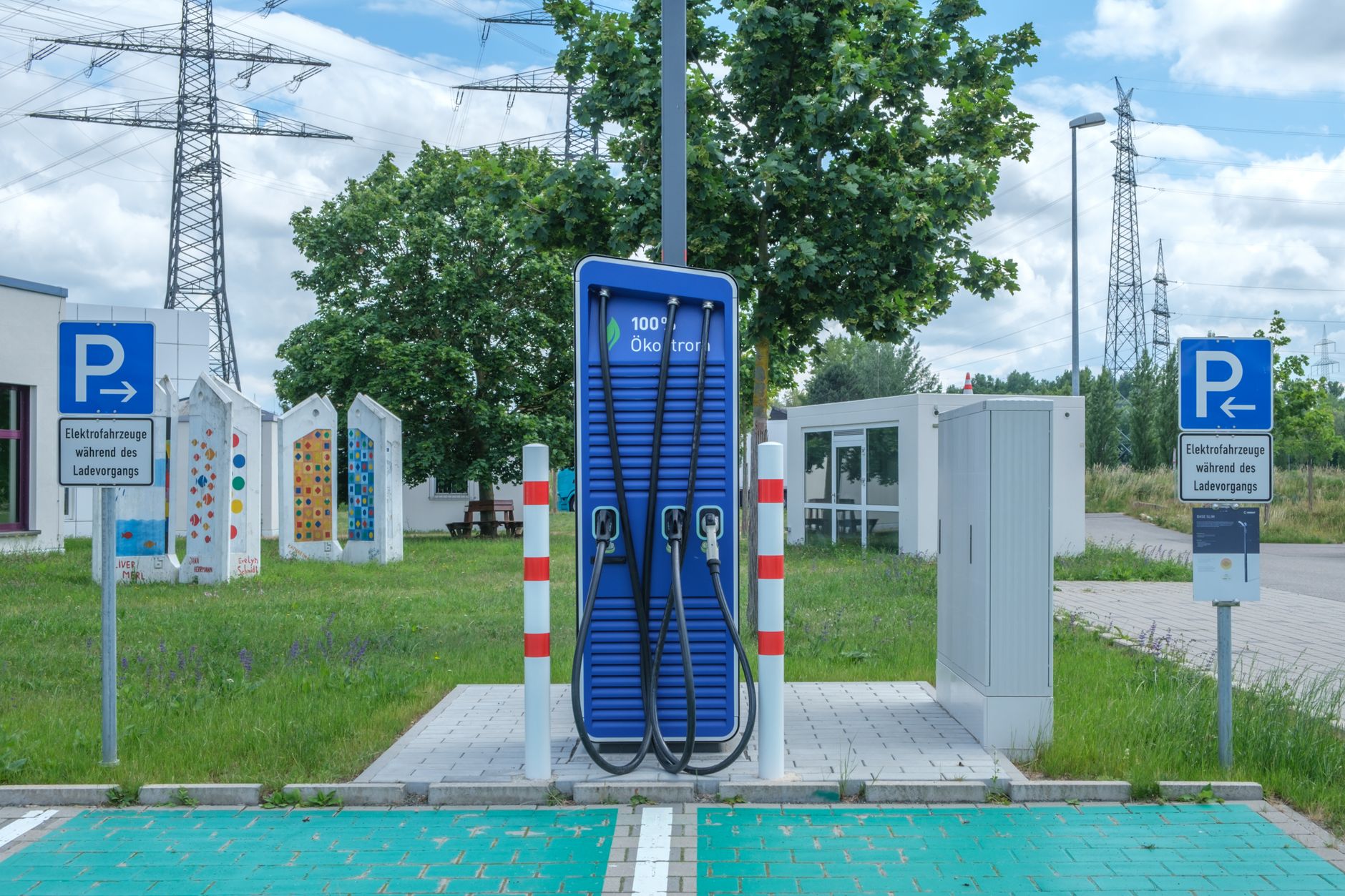
  • Non-Tesla EVs can charge at most Superchargers now. Here’s what that means for you.

    Non-Tesla EVs can charge at most Superchargers now. Here’s what that means for you.

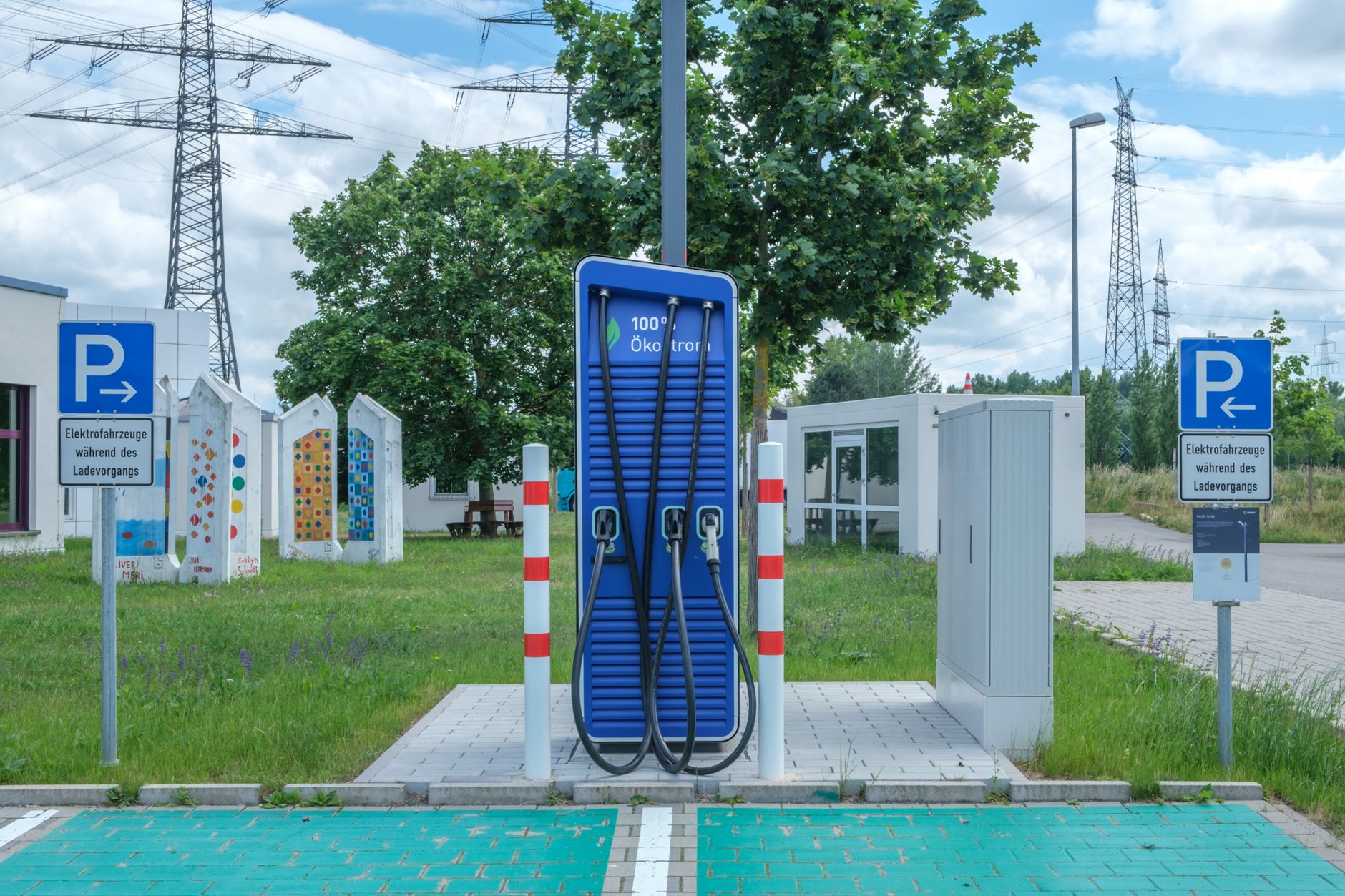
    The Supercharger network you rely on isn’t just for Teslas anymore. Tesla has been opening stalls to other brands’ EVs for a couple of years now, and the rollout has reached the point where it changes what you can expect at a busy station.

    Most of the network is now shared

    As of April 2026, about 70% of Tesla’s roughly 80,000 Supercharger stalls — across roughly 60% of sites — are open to non-Tesla EVs, according to independent tracking data cited by evchargingstations.com (April 1, 2026) and separately confirmed by Electrek (May 12, 2026). InsideEVs lists Ford, GM’s brands, Rivian, Hyundai/Kia/Genesis, Volvo, Polestar, Nissan, Lucid, Mercedes-Benz, Honda/Acura, Audi, Porsche, Toyota, Volkswagen, BMW, and Stellantis brands as having confirmed access as of March 2026. Tesla is also still growing the network itself — it added roughly 2,500 stalls in the first quarter of 2026 alone.

    How other EVs actually plug in

    If your Tesla uses the standard NACS plug, nothing changes for you. Other automakers’ EVs either come with a manufacturer-supplied adapter that lets their CCS1 charge port work with a NACS stall, or use Tesla’s “Magic Dock” stalls, which have a built-in adapter on the pedestal. Tesla’s own support page describes both options. Magic Dock stalls are a shrinking share of new installs, though — most new Supercharger sites are NACS-only, and most automakers now sell their own adapter instead, according to Recharged’s tracking of Magic Dock locations.

    What it means for wait times

    Tesla has said long waits happen in about 1% of charging sessions, but with 53 million sessions in the first quarter of 2026 alone, that’s still hundreds of thousands of instances of someone waiting, per Electrek. Tesla is piloting a virtual queue system at five locations as of May 2026 to manage it, though it’s honor-system only for now, not enforced at the stall. If you hit a full station, Tesla’s existing idle-fee policy still applies once your car reaches 80% charge or your session ends at a busy site — a 5-minute grace period to unplug, per Tesla’s support page, so don’t treat a Supercharger stop as a place to leave your car parked.

    What it means for pricing

    Tesla has said non-members pay roughly a 40% premium over what Tesla vehicles pay without a paid membership; Electrek’s own pricing checks in April 2026 found the real-world gap closer to 30-35% at the locations it checked. That premium is what non-Tesla drivers pay, not something that changes your own per-kWh rate as a Tesla owner.

    Bottom line

    You’ll likely see more non-Tesla EVs at Superchargers than you used to, especially at busy sites near highways. Nothing about how you charge changes, but it’s worth knowing why a station might be fuller than it used to be — and why Tesla is starting to test queueing tools to manage it.

    Photo by Reinhard Bruckner.
  • Check your state’s EV registration fee before you budget for a Tesla.

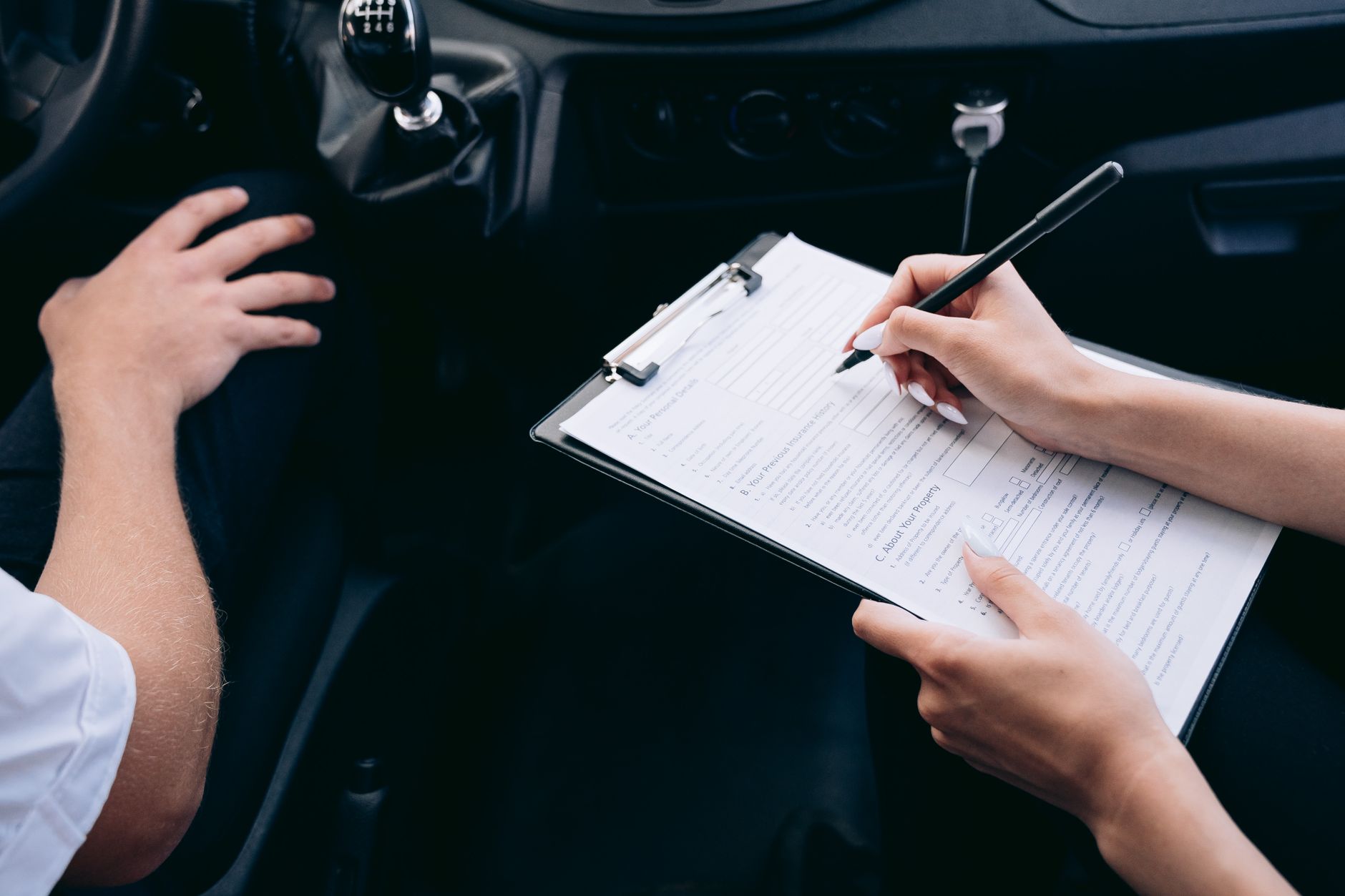
    Check your state’s EV registration fee before you budget for a Tesla.

    Gas cars fund road maintenance every time they fill up, through the gas tax built into the price at the pump. A Tesla never does that, so most states have added a separate annual fee to your registration to cover the difference. It’s easy to miss when you’re budgeting for a Tesla, because it isn’t part of the purchase price.

    Most states already charge one

    As of early 2026, 40 states charge EVs a special registration fee on top of normal registration costs, according to Bridge Michigan’s reporting (Jan. 7, 2026), which draws on National Conference of State Legislatures and Tax Foundation data. The Tax Foundation explains the reasoning plainly: as more drivers go electric, gas-tax revenue that funds roads shrinks, and states are replacing it with a flat EV fee instead.

    The amount varies a lot by state

    There’s no standard number — states set their own, and they range widely:

    • Michigan: $267/year for a full EV as of 2026, the highest in the country, per Bridge Michigan. Michigan ties the fee to the state gas tax rate, so it moves as that does.
    • Georgia: $238.59/year for the period running July 1, 2026 through June 30, 2027, per the Georgia Department of Revenue’s official fee bulletin.
    • Texas: $200/year, with $400 due at your first registration to cover two years upfront, per the Texas Tribune.
    • Ohio: $200/year for a full EV, $150 for a plug-in hybrid, and $100 for a standard hybrid, per the Ohio BMV’s fee schedule.
    • California: $121/year, a Road Improvement Fee that adjusts annually with California’s Consumer Price Index, per the California DMV.
    • Colorado: starts much lower — a Road Usage Equalization Fee of $16/year for the fiscal year that just ended, rising to $26/year for 2026-27, per the U.S. Department of Energy’s Alternative Fuels Data Center.
    • Hawaii and South Dakota: $50/year, among the lowest fees nationally, per both the Bridge Michigan and NCSL-sourced figures above.

    Some of these are built to keep rising

    A handful of states don’t set a flat number and forget it. California, Colorado, Indiana, Maryland, Mississippi, Pennsylvania, Tennessee, and Utah index their EV fee to inflation, and Michigan ties its fee directly to the state gas tax rate — so the amount you pay can increase most years without a new law being passed, according to a Kansas Legislative Research Department memo (Jan. 17, 2025) tracking state EV fee structures.

    A federal version has been proposed, but isn’t law

    In Congress, the BUILD America 250 Act would add a national EV fee — $130/year for EVs and $35/year for plug-in hybrids starting in October 2026, rising to $150 and $50 by 2029 — on top of whatever your state already charges. As of this reporting it’s still a proposal, not enacted law, per the Detroit News (May 18, 2026).

    Bottom line

    This fee is separate from your normal registration and from any sales tax or purchase incentive math you’ve already done. Look up your own state’s DMV or motor vehicle agency page before you finalize a Tesla budget — the number ranges from about $50 to over $260 a year, and in several states it’s scheduled to climb.

    Photo by Mikhail Nilov.

  • Window tint for your Tesla: what your glass already blocks, and what your state allows.

    Window tint for your Tesla: what your glass already blocks, and what your state allows.

    Before you shop for tint, it helps to know what your Tesla’s glass is already doing. It changes what tint is actually for on this car, and it doesn’t change the legal limits on how dark you’re allowed to go.

    Your glass already blocks UV

    Tesla’s own Model 3 and Model Y owner’s manuals state that the roof, windshield, and windows score under 2 on the UV Index scale — in Tesla’s words, “excellent at protecting you from UV rays.” Tesla still tells owners to take normal sun precautions, but factory glass is already doing UV-blocking work that tint on a gas car would typically be sold to do.

    So tint is really about heat and privacy

    What factory glass isn’t specifically rated for is infrared heat rejection. Ceramic films, like 3M’s Ceramic IR Series, are rated for up to 95% infrared rejection and up to 66% total solar energy rejection — which is the heat that builds up in a parked cabin and makes the AC work harder once you’re driving. Cheaper dyed film mostly works by darkening the glass and absorbing visible light, without the same infrared-blocking spec. Separately, both InsideEVs and Electrek have reported that extreme heat (95°F and up) can cut EV range by 20–30% from cabin cooling load alone — a real cost of hot weather, though neither report tested tint specifically as a fix, so treat that as a related fact rather than a guaranteed range gain from tinting your windows.

    Check your state’s darkness limit first

    Every state sets its own legal minimum for how much light your side windows have to let in (VLT, or visible light transmission), and the range is wide. AutoInsurance.com’s state-by-state breakdown shows examples like California requiring at least 70% VLT on front side windows, Texas 25%, Florida 28%, and New Mexico as low as 20%. A shop in one state can legally install tint that would get you a ticket in another, so confirm your own state’s number before you buy — not a shop’s default recommendation.

    Windshield tint has its own, stricter rules

    Most states treat the windshield differently from the rest of the glass. FindLaw’s overview of window tint laws confirms that state codes set separate, generally tighter transmittance rules for the windshield than for side and rear windows — in many states that means tint is allowed only on a narrow strip at the very top, if at all. Don’t assume a shop that tints your side windows dark can legally do the same to your windshield.

    Bottom line

    Your Tesla doesn’t need tint for UV protection — the glass already handles that. If you’re adding it, you’re paying for heat rejection and privacy, and ceramic film is the category actually rated for the former. Whatever you choose, check your state’s VLT limit first, since that’s the number that determines whether your tint is legal, not how dark it looks in the shop.

    Photo by Erik Mclean.

  • Compare Standard Range and Long Range trims.

    Compare Standard Range and Long Range trims.

    Tesla no longer calls it “Long Range.” As of the 2026 lineup, the trim that used to carry that name is now labeled “Premium” on both the Model 3 and Model Y configurators. The range and price gap it represents, though, is exactly the question buyers still ask: how much range do you actually lose by choosing the cheaper Standard trim, and is the extra money for Premium worth it.

    On the Model 3, Standard is EPA-rated at 321 miles and starts at $38,380 including destination. Premium Rear-Wheel Drive is rated at 363 miles and starts at $43,880. That’s 42 more miles of range for about $5,500. A Premium All-Wheel Drive version is also available, rated at 346 miles from $48,880 — less range than the RWD Premium because the second motor adds weight, but with the traction of all-wheel drive.

    On the Model Y, Standard is rated at 321 miles and starts at $39,990. Premium Rear-Wheel Drive is rated at 357 miles and starts at $45,990 — 36 more miles for about $6,000. Model Y also offers a Premium All-Wheel Drive variant, rated around 327 miles, priced a few thousand dollars above the RWD Premium.

    In both cases, the jump from Standard to Premium buys roughly 35-40 extra miles of EPA range for $5,500 to $6,000. That’s a real difference on paper, but it matters less than it sounds for most owners. The Model Y Standard covered 337 miles in Edmunds’ own highway range test, beating its official rating, and the Model 3 Standard has done the same in independent testing. Real-world range on a Tesla frequently lands close to or above the EPA number in mixed driving.

    For daily commuting, home charging, and typical errands, Standard covers the vast majority of use cases with room to spare — a 321-mile battery still means charging once or twice a week for most drivers, not once a day. The case for Premium is narrower: frequent long highway drives where minimizing Supercharger stops matters, cold climates that cut range noticeably in winter, or simply wanting more buffer before range anxiety sets in on a road trip. If your longest regular drive is under 150 miles round trip, Standard is very likely enough car. If you road-trip often or live somewhere winters bite into range hard, the extra miles in Premium are worth paying for.

    Figures above are current as of July 19, 2026, and change with Tesla’s frequent price and range updates — check the Model 3 and Model Y configurators directly before ordering.

    Photo by I’m Zion.

  • Tesla’s new FSD update adds a live camera preview and a faster Smart Summon

    Tesla’s new FSD update adds a live camera preview and a faster Smart Summon

    Tesla began rolling out software version 2026.20.6.6, which carries Full Self-Driving (Supervised) version 14.3.5, on July 13, 2026. The update reached non-employee vehicles first and, as of this writing, is limited to cars with Tesla’s Hardware 4 (HW4) computer, according to TeslaNorth. It follows 2026.20.6.1, an earlier build on the same software branch that Tesla released July 2 and that GetTesla covered at the time.

    The most visible change for owners is an expanded Camera Preview. Tesla first added the ability to view a car’s external camera feeds from the touchscreen in 2023, but that view previously only worked while the car was parked. With this update, drivers can open Camera Preview — under Controls, then Service, then Camera Preview — while the car is in motion, including the interior cabin camera, according to Tesla Oracle‘s review of the release notes. Tapping an individual camera in the on-screen grid enlarges that feed; tapping the grid icon again returns to the full view.

    Tesla also raised the top speed of Actually Smart Summon, the feature that lets a car pull itself out of a parking spot and drive to the owner in a lot or driveway, to 8 mph (13 km/h). Tesla’s release notes describe the underlying driving model as now “unified” across Actually Smart Summon, FSD (Supervised), and the company’s robotaxi service — meaning the three now share the same core software rather than separate versions — according to the official notes mirrored by Not a Tesla App.

    On the driving side, Tesla says this build improves how FSD handles traffic lights at complex intersections, including ones with multiple signal heads, curved approaches, or a yellow light, and increases decisiveness when selecting and pulling into a parking spot. When a car nears a parking destination, the map now shows nearby parking options marked with a “P” icon. The Tesla mobile app also gained a running count of miles driven in FSD without the driver needing to intervene, along with a driver’s longest such streak.

    Some of the language in this build’s release notes — an upgraded reinforcement-learning stage for training the FSD neural network, an improved vision system for reading traffic signs and handling low-visibility conditions, and a rewritten AI compiler using a framework called MLIR (Multi-Level Intermediate Representation) that Tesla says makes the car’s reaction time about 20% faster — is carried over from FSD v14.3, the version Tesla introduced in April 2026, according to Electrek‘s reporting at the time. Tesla repeats this description across every build on the v14.3 branch, so it describes the architecture v14.3.5 continues to run on rather than a change unique to this week’s update.

    For owners, none of this requires action. Like all Tesla software, 2026.20.6.6 downloads over Wi-Fi and installs automatically once the car is parked and idle; owners can check whether it has arrived under Controls, then Software, on the touchscreen. Because the update is currently limited to Hardware 4 vehicles, cars with Tesla’s older Hardware 3 computer will not receive it.

    Photo by Vladimir Srajber.

    Photo by Vladimir Srajber.

  • Change your Tesla order before delivery.

    Change your Tesla order before delivery.

    Placing a Tesla order does not lock in every detail right away. Between the day you order and the day you take delivery, you can still adjust much of the build through your Tesla Account. But the window closes earlier than most buyers expect, and a few things can’t be touched no matter when you ask.

    According to Tesla’s own support FAQ, “you can modify your Tesla’s configuration until the final invoice appears in your Tesla Account.” Until that point, you can typically change exterior color, wheels, interior color, and options like Enhanced Autopilot or Full Self-Driving (Supervised) directly from your account’s design page. Tesla is explicit about one tradeoff, though: any change you make “may delay your delivery date,” since a new configuration can mean waiting for a different build to become available.

    Delivery timing itself is adjustable too, but on a shorter clock. Per Tesla’s delivery-day support page, you can reschedule your delivery appointment from the Tesla app by opening your pre-delivery tasks, going to the Scheduling tab, and tapping Reschedule to pick a new date and time. That self-service option disappears once you’re inside 48 hours of your scheduled delivery — after that, you’d need to reach your delivery location or advisor directly.

    Once Tesla generates your final invoice, self-service editing ends. In practice, that’s the point where your order has effectively been matched to a specific vehicle moving through production or transport, and the configuration is set. If you need a change after that stage, Tesla’s guidance points you back to your account or advisor rather than the design page itself — but there’s no guarantee the request can be accommodated, since it depends on where the vehicle already is in the delivery pipeline.

    How to make a change

    Log into your Tesla Account (web or app), find your order, and look for the edit-design option on the order page. If you don’t see it, that’s usually a sign your invoice has already been generated. From there, your options are to contact your Tesla advisor, use the in-app chat, or call your assigned delivery location to ask what’s still possible.

    Canceling and reordering is always an option if a change can’t be made directly, but it isn’t free. Every Tesla order carries a one-time, non-refundable order fee, and per Tesla’s support page, cancellation itself is done in the app under Vehicle Details, then Manage, then Request to Cancel. Weigh that against simply working with an advisor to adjust the existing order first.

    The short version: color, wheels, interior, and software options are flexible right up until your final invoice is issued, and your delivery date is flexible up until 48 hours before your appointment. Everything past those points requires a human at Tesla, not a menu in the app.

    Photo by Vladimir Srajber.

  • Frunk and Trunk Organizers: Do You Actually Need One?

    Frunk and Trunk Organizers: Do You Actually Need One?

    A Tesla’s front trunk and rear trunk are just open, carpeted compartments — there’s no factory divider, no grocery-bag hooks, nothing to stop a loose item from sliding into the corners on a hard turn. Whether an organizer is worth buying depends less on preference and more on what Tesla’s own manual says you’re allowed to load in there.

    The weight limits are stricter than you’d guess

    Tesla’s Model Y owner’s manual caps the front trunk at 110 lbs (50 kg) for the sealed-tub design, or 65 lbs (30 kg) for the unsealed design used on some trims — and specifically warns against storing water-sensitive items in an unsealed frunk.

    The rear trunk is split into two zones: never more than 88 lbs (40 kg) in the lower compartment, and up to 198 lbs (90 kg) in the upper compartment. Tesla also instructs owners to distribute weight as evenly as possible between the front and rear trunks rather than loading everything into one.

    Why an open compartment makes that harder to manage

    Without dividers, it’s easy to unknowingly concentrate weight in one spot, or let heavy items shift toward the trunk’s edges during acceleration and turns. Tesla’s manual also warns that aftermarket accessories that add weight can cause the power liftgate to close unexpectedly, and that this kind of damage isn’t covered under warranty — a reason to keep loose, heavy items secured rather than sliding freely.

    What an organizer actually solves

    A tray or bin-style organizer, like the ROCCS front trunk organizer sold for Model Y, sections the frunk into compartments so smaller items (charging cables, a tire inflator, wiper fluid) stay put instead of rattling around loose. Most of these are tool-free, tray-style inserts rather than permanent installations, so they don’t add meaningful weight against the limits above.

    For the frunk specifically, a soft-sided or waterproof liner matters most if your car uses the unsealed trunk design Tesla describes — it adds a layer of protection the compartment itself doesn’t guarantee.

    Do you need one?

    If you only ever carry a couple of bags, probably not. If you regularly haul groceries, gear, or anything you don’t want sliding around near the stated weight limits, an organizer is a low-cost way to keep the load controlled — and to stay within what Tesla’s manual actually allows.

    Photo by Katya Wolf.

  • Battery Preconditioning: Why Your Tesla Warms Up Before You Supercharge

    Battery Preconditioning: Why Your Tesla Warms Up Before You Supercharge

    A cold battery charges slower. That’s the whole reason preconditioning exists, and it’s worth understanding if you want to spend less time standing at a Supercharger.

    Why a cold battery slows you down

    Tesla’s own Model Y owner’s manual puts it plainly: the battery’s charge rate is decreased when it’s too cold. Lithium-ion chemistry just accepts current more slowly at low temperatures, so a battery that arrives at a Supercharger cold will pull fewer kilowatts, at least at first, than one that arrives already at its ideal operating temperature.

    How preconditioning fixes that

    The fix is to warm the battery before you plug in, not after. According to Tesla’s manual, you can minimize charge time by using Trip Planner to warm the battery while driving to a Supercharger. In practice, this means routing to a Supercharger through the car’s navigation — Trip Planner’s own charging stops count — rather than typing in an address manually and hoping the car figures it out.

    Preconditioning is a separate function from the scheduled, departure-time preconditioning you can set under Controls, which warms the battery and cabin for a set time you choose. That scheduled version has a real limitation worth knowing: per the owner’s manual, scheduled charging cannot be used with fast chargers, including Superchargers — it’s built for charging on AC power at home, not for a Supercharger stop.

    A side benefit if you have a heat pump

    Tesla vehicles with a heat pump can reuse some of that warmth: heat already in the battery can help warm the cabin while driving, which the manual notes reduces overall energy consumption compared to heating the cabin from scratch. Preconditioning done ahead of a drive isn’t purely a charging-speed feature — it can shave a little off the energy you’d otherwise spend on climate control.

    What this means for your next road trip

    If you’re planning a longer trip, let Trip Planner pick and route to your Supercharger stops instead of navigating to them manually. It’s a small habit that puts the temperature work in before you arrive, so more of your stop is spent charging and less of it is spent waiting for the battery to warm up on its own.

    Photo by Reinhard Bruckner.

  • Buying a Used Tesla From Tesla: What the Price Actually Includes

    Buying a Used Tesla From Tesla: What the Price Actually Includes

    Tesla sells used vehicles directly through its own website, alongside new ones. It’s a different buying process than a private-party or third-party dealer purchase, with its own costs and rules worth knowing before you order.

    The price is fixed

    Every pre-owned Tesla listing has a set price, and Tesla does not negotiate on pre-owned vehicle pricing. There’s no back-and-forth over the sticker number the way there might be at an independent used-car lot.

    What the price includes

    Before it’s listed, every pre-owned Tesla goes through a 102-point inspection, and Tesla provides an Autocheck history report for the vehicle. The purchase also comes with Tesla’s Pre-Owned Vehicle Limited Warranty, plus whatever is left of the car’s original New Vehicle Limited Warranty.

    That original coverage matters for cost planning. Tesla’s Basic Vehicle Limited Warranty runs 4 years or 50,000 miles from when the car was new, and the Battery and Drive Unit warranty runs 8 years, with a mileage cap of 100,000 to 150,000 miles depending on the model, plus a guarantee that the battery retains at least 70% of its original capacity through that period. A 2-year-old used Tesla could still have most of that clock left; a 5-year-old one may already be out of basic coverage and running only on the longer battery warranty.

    What costs extra

    Placing an order requires a $500 deposit. It’s refundable if your financing application is denied, or if you switch the order to a new Tesla instead while it’s still active — otherwise it becomes non-refundable once the order is placed.

    If the car isn’t already near you, Tesla will transport it to your nearest Delivery Center for a transport fee between $500 and $2,500, depending on distance. That fee is charged at order time and is non-refundable, and delivery isn’t offered in every region. Tesla estimates one to four weeks from order to delivery, with a firmer window given after the order is confirmed.

    What doesn’t carry over

    Pre-owned purchases don’t qualify for new-vehicle programs like Refer and Earn. Some states offer their own tax credits for used EV purchases, but those vary by state and should be checked directly rather than assumed.

    Before you order, weigh the transport fee and remaining warranty term against the listed price — a car with three years of Basic Warranty left is a different value proposition than one with none, even at the same sticker price.

    Photo by Luke Miller.

  • Home Delivery vs. Pickup Center: What Actually Differs When You Get Your Tesla

    Home Delivery vs. Pickup Center: What Actually Differs When You Get Your Tesla

    When your Tesla is ready, you generally get one of two ways to take possession: pick it up at a Tesla delivery location, or have it brought to you through Tesla’s fee-based home delivery service, called Carrier Direct. The two options aren’t just about location — the process, who you deal with, and how much control you have over inspecting the car before it’s officially yours are all different.

    Tesla decides which options you’re offered largely by distance. Carrier Direct is “available for customers who prefer to have their vehicle delivered, and who live more than 220 miles from the nearest Tesla delivery location”, and it comes with a fee based on where you live. If you’re within that radius, Tesla’s own guidance is blunt about which option it wants you to pick: “For faster delivery, we recommend taking delivery at a Tesla delivery location.” If you’re near the cutoff or unsure whether you qualify for delivery to your door, Tesla tells buyers to talk to their Tesla Advisor to see if they qualify for an independent carrier.

    The two processes diverge well before delivery day. For pickup, you handle most paperwork in person: Tesla’s steps are to “sign any available agreements, complete final payment and accept delivery,” then unlock the car with the Tesla app. For Carrier Direct, the heavy lifting happens ahead of time — you sign financing and trade-in paperwork and submit payment through the app before the car ever ships, then wait for a timing update from the carrier and accept delivery in the app once it shows up. Either way, bring your driver’s license, proof of insurance, and any trade-in paperwork, and know that Tesla does not accept credit cards for final payment. You also need to accept any outstanding agreements in the app within 24 hours of your appointment, and appointments can’t be rescheduled once you’re inside a 48-hour window.

    Who actually shows up matters more than people expect. At a Tesla location, you’re checking in with Tesla staff who can answer questions and walk you through the car. With Carrier Direct, the vehicle typically arrives on a flatbed operated by a third-party trucking company Tesla contracts with, not a Tesla employee — and by multiple buyer accounts, those drivers aren’t equipped to do more than show you how the key card works (as of August 2023, the most recent detailed account found). Feature walkthroughs and product questions are on you to handle through the app and owner’s manual instead.

    Can you still do a real walkaround at home delivery? Largely yes. Buyers on Tesla’s own owner forums describe a “Review vehicle before Accepting Delivery” step in the app that unlocks the doors and lets you look the car over — even take it around the block — before you tap accept, though experiences here vary and some report more restricted access with third-party carriers specifically. The safest assumption: treat the moment before you hit “accept” in the app, at your driveway or at the delivery location, as your real inspection window in either case.

    If you spot a problem on the spot, the fix path is the same regardless of where you took delivery: note it, photograph it, and if it’s not serious enough to justify refusing the car outright, schedule a service appointment through the Tesla app to have it addressed after the fact. Neither pickup nor home delivery gives you a different repair process once the car is yours — the difference is only in how much you can catch beforehand.

    On tipping: Carrier Direct drivers are contractors, not Tesla employees, so there’s no Tesla policy on it either way. General guidance for car-delivery drivers is that tipping is optional but a common way to show appreciation, with cash preferred — it comes down to how the delivery went, not an obligation. At a Tesla location, you’re dealing with salaried staff, and tipping isn’t part of the culture there at all.

    Photo by David Brown.