Blog

  • The Paperwork You Need for Tesla Delivery Day

    The Paperwork You Need for Tesla Delivery Day

    Delivery day for a new Tesla is not just about picking up the keys. Most of the required paperwork has to be finished before you ever arrive, through tasks in the Tesla app. According to Tesla’s support page on taking delivery, you submit your insurance details, final payment, and other required documents in the app ahead of your appointment, and vehicle availability timing depends on completing those tasks on schedule.

    Proof of insurance comes first

    You cannot take delivery without active auto insurance. Tesla’s support page states that you need insurance coverage before you can take delivery of your vehicle. Once your car is assigned a VIN, the app prompts you to upload proof of insurance. You can buy a policy through Tesla Insurance where it’s offered, or use coverage from any other carrier. Tesla does not require its own insurance product, only that a valid policy is active by delivery day. If you buy through the app, your insurance card and policy documents show up there once the coverage starts.

    Bring a valid driver’s license

    A current driver’s license is required both to get an insurance quote in the app and to complete the paperwork at delivery. Tesla’s delivery day support page lists a driver’s license, along with final payment and proof of auto insurance, as items you need at the appointment itself.

    Financing paperwork depends on how you’re paying

    If you finance or lease directly through Tesla, you e-sign the loan or lease agreement in the app before your appointment. If you arranged your own financing through an outside bank or credit union, Tesla generates a Motor Vehicle Purchase Agreement, or MVPA, in the app that most lenders ask for. According to Tesla’s delivery requirements page, delivery cannot take place until the full loan funding arrives, so getting your lender’s paperwork moving early matters more than almost anything else on this list.

    Trade-in paperwork: title and payoff

    If you’re trading in a vehicle, plan to hand over the title at your delivery appointment, along with the lien release if you still had a loan on that car. Tesla’s trade-in support page states that every owner listed on the trade-in vehicle’s title or registration must be present to sign the trade-in paperwork. If you still owe money on the trade-in, do not pay off the loan yourself before delivery. Tesla calculates the loan payoff amount and applies any remaining equity to your purchase agreement, and settling it on your own first can slow the process down instead of speeding it up. Buyers in Iowa, Michigan, Oklahoma, and Texas are mailed trade-in documents that must be signed and returned before the delivery date, rather than handled at the appointment.

    Watch the app for your appointment and task list

    Tesla notifies you in the app once your vehicle is ready so you can schedule a delivery appointment. The same app tracks a running list of pre-delivery tasks, covering insurance, payment, trade-in details, and registration confirmation, and each one needs to be marked complete before your appointment is considered finalized. It helps to check the app every few days as your delivery date gets closer, since new items, including the MVPA for outside financing, can appear as your car gets closer to the delivery location.

    What happens if you show up without something ready

    Tesla treats these tasks as prerequisites, not suggestions. If you arranged your own financing and the funds have not arrived in full, delivery cannot happen that day. If your insurance does not meet the minimum requirements, or your trade-in title and lien release are not in hand, expect your appointment to be rescheduled instead of completed on the spot. The more reliable approach is to finish every task in the app, insurance, payment, and any signed documents, several days before your scheduled date, so delivery day itself is just about inspecting and picking up the car.

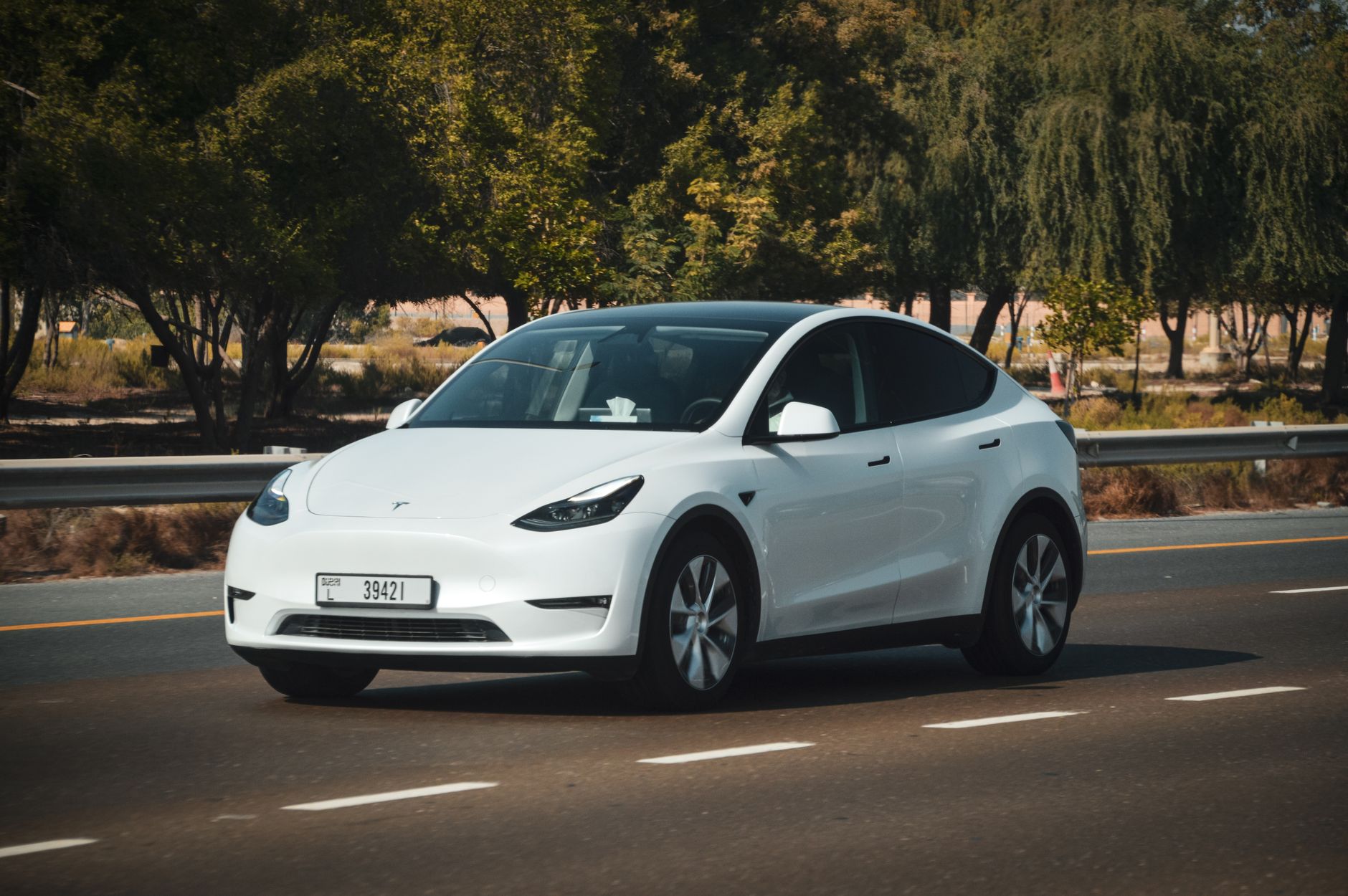
    Photo by Gustavo Fring.
  • Tesla Model Y trims compared: which one should you buy?

    Tesla Model Y trims compared: which one should you buy?

    The Model Y lineup has grown more complex over the past year, with Tesla renaming trims and adding a limited-run flagship. Here’s what’s actually available and how the trims differ. Pricing on Tesla vehicles moves often, so treat these as figures as of July 2026 and confirm current pricing on tesla.com before ordering.

    According to Edmunds’ 2026 Model Y trims comparison, the base Standard trim starts at $41,380, is rear-wheel drive, and carries an EPA-estimated range of 321 miles with a 6.8-second 0-60 mph time. It’s the entry point into Model Y ownership and the cheapest way into the lineup.

    Above that sits the Long Range RWD — which Tesla has also marketed as Premium RWD — starting at $46,380. It trades some of the Standard’s simplicity for Tesla’s longest single-motor range: 357 miles, EPA-estimated, with a quicker 5.4-second 0-60 time. For owners who care most about maximizing range between charges, particularly for road trips, Edmunds’ data points to this as the efficiency leader of the lineup.

    The Performance trim starts at $58,880 and adds all-wheel drive along with Tesla’s quickest non-limited Model Y powertrain: 3.3 seconds to 60 mph. That speed comes at a range cost — Performance is EPA-rated at 306 miles, the lowest in the lineup, since the added motor and performance hardware draw more power.

    At the top is the Long Range AWD Launch Series, starting at $61,380 and rated at 327 miles of range with a 4.4-second 0-60 time. Tesla bundles Full Self-Driving (Supervised) standard on this limited-production trim, which is a meaningful part of its higher price relative to the Performance trim below it — you’re paying for software as well as hardware.

    For most new-owner shoppers, the decision comes down to three questions. If the goal is the lowest possible entry price and typical commuting, the Standard trim covers that without complication. If road trips and maximizing range between Supercharger stops matter most, the Long Range RWD is the pick — it has the best range in the lineup despite not being the priciest trim. If straight-line speed is the priority and range is secondary, Performance delivers Tesla’s quickest non-limited Model Y. The Launch Series only makes sense if you specifically want FSD (Supervised) bundled in from day one and don’t mind paying a premium for it.

    Whichever trim you’re considering, build and price it directly on tesla.com before deciding — Tesla adjusts pricing and trim availability more often than most automakers, and the exact numbers above can shift by the time you’re ready to order.

    Photo by Saksham Vikram.

    Photo by Saksham Vikram.

  • How Tesla’s Trip Planner picks your charging stops.

    How Tesla’s Trip Planner picks your charging stops.

    Tesla’s Trip Planner does the math so you don’t have to: enter a destination, and it figures out whether you need to charge, where, and for how long. Here’s what’s actually happening behind the scenes, based on Tesla’s official owner’s manual.

    When you enter a destination that requires charging, Trip Planner “selects a route and provides charging times to minimize the amount of time you spend driving and charging,” per the manual. That’s a real optimization, not just a search for the nearest chargers — it balances route and charging time together, which sometimes means skipping a slightly closer Supercharger for one that lets you charge less overall.

    To do that, your car estimates the energy you’ll use based on “driving style (predicted speed, etc.) and environmental factors (wind speed and direction, ambient and forecasted temperatures, air density and humidity, etc.),” according to Tesla. In plain terms: how fast you tend to drive and the weather along your route both shape the plan. Tesla also says the car “continuously learns how much energy it uses, improving accuracy over time,” so Trip Planner estimates tend to get more accurate the longer you’ve owned the car.

    One detail owners often miss: when Trip Planner is routing you to a Supercharger, your car may use some of its own energy to preheat the battery before you arrive, so it’s at an ideal temperature for fast charging. Tesla says this “reduces charging time” once you’re plugged in — it’s part of why a cold battery charges more slowly than one that’s been preconditioned.

    To actually plan a trip, open the Tesla app, go to the location section, tap navigate, and enter your destination, according to Not a Tesla App’s walkthrough of the feature. The app shows your estimated arrival time, current and projected battery percentage, which Superchargers you’ll pass, and how much to charge at each one. From there, you send the plan to your car. It’s worth knowing the feature’s limits, too: Trip Planner doesn’t support adding custom waypoints or extra charging stops beyond what it recommends, and a planned trip can’t be saved — it has to be sent to your car right after you plan it.

    The practical takeaway: Trip Planner works best when you let it do the routing rather than second-guessing it. If you want to add a stop it didn’t plan for — a restaurant, a friend’s house — plan that separately, since Trip Planner won’t fold custom waypoints into its charging math.

    Photo by Andrew Seltz.

    Photo by Andrew Seltz.

  • Tesla is running a free Supercharging contest through the end of 2026.

    Tesla is running a free Supercharging contest through the end of 2026.

    Tesla is running a yearlong contest that rewards its heaviest Supercharger users with free charging for as long as they own their car, according to Tesla’s official contest page. Nine drivers will win: three from the Americas, three from Asia-Pacific and Oceania (excluding China), and three from Europe, the Middle East and Africa.

    Each region awards one winner in three categories. “Longest Trip” goes to the driver with the longest streak of visits to unique Supercharger locations, where a new stop within 24 hours of the last one extends the streak. “Most Unique Sites” goes to whoever visits the most different Supercharging locations over the year. “Most Energy” goes to the driver who charges the most total kilowatt-hours at Superchargers. Repeat visits to the same site are allowed but don’t extend a streak, per Tesla.

    The competition runs the full 2026 calendar year, from January 1 through December 31, so it’s already more than half over — but there’s still time to build a streak or add kilowatt-hours for the second half. Winners are notified in January 2027, and free Supercharging is applied to winning accounts before March 1, 2027, according to Tesla.

    Not everyone qualifies. Tesla excludes vehicles that already have free Supercharging, cars used commercially for ride-share or delivery, Tesla employees and their families, and drivers outside the three competition regions. Your region is assigned based on where most of your 2026 charging actually happens, not where you live.

    To participate, make sure your Tesla app is on its latest version and that “Share Charging Data with Tesla App” is turned on in your car’s settings — Tesla uses that data to track standing. You’ll also need to enroll through the 2026 Passport feature in the app before January 1, 2027. There’s no purchase or extra payment required beyond your normal charging costs, and Tesla calculates final standing from your last charging visit before the new year.

    InsideEVs reported on the contest in June, noting Tesla operates roughly 3,000 Supercharger locations in the U.S. alone — part of a global network Tesla says has grown past 80,000 Superchargers worldwide, giving contestants plenty of ground to cover.

    Checking your standing costs nothing: open the Tesla app, find the Passport or charging badges section, and see where you land. For most owners this won’t change day-to-day driving, but if you’re already logging serious road-trip miles, it’s a free entry into a contest you might already be winning.

    Photo by Giant Asparagus.

    Photo by Giant Asparagus.

  • Tesla’s Sentry Mode and Dashcam Are Built In. The Storage Is Not.

    Tesla’s Sentry Mode and Dashcam Are Built In. The Storage Is Not.

    Sentry Mode and Dashcam are software features included on every Tesla at no extra cost. Neither requires a subscription. What they do require is a piece of hardware you supply yourself: a USB flash drive plugged into the car’s USB port.

    What each feature actually records

    Dashcam records video from the car’s exterior cameras while you drive. Per Tesla’s owner’s manual, it works in three ways: it saves automatically when the car “detects a safety-critical event, such as a collision or airbag deployment,” it saves the most recent ten minutes when you tap the Dashcam icon on the touchscreen, and it saves the most recent ten minutes when you press the horn. Sentry Mode is the parked-car alarm. According to Tesla’s manual, it activates “if a threat is detected or the vehicle sensors determine there is a lot of jerky movement, like when getting towed or shaken,” then records using the car’s cameras and sensors while the alarm and lights activate. Rear-camera recording is only available on cars “manufactured after approximately February 2018.” Recordings stay on your drive and are not uploaded to Tesla, per the same manual.

    The USB drive Tesla requires

    Tesla’s USB drive requirements page spells out the minimum hardware: a drive with at least 64 GB of storage and “a sustained write speed of at least 4 MB/s.” The drive needs to be USB 2.0 compatible; if it’s USB 3.0, it must also support USB 2.0. You format it in the car itself by touching Controls > Safety > Format USB Drive, which formats the drive as exFAT (or MS-DOS FAT for Mac, ext3, or ext4 — NTFS is not supported) and creates a TeslaCam folder with three subfolders: RecentClips, which Tesla says “contains up to 60 minutes of recorded content,” SavedClips for anything you’ve manually saved, and SentryClips for security events. You can use one drive for Dashcam, Sentry Mode, and music, but Tesla says you need separate partitions or folders on it. Some cars “manufactured beginning approximately 2020” ship with a pre-formatted drive already in the glovebox, per the same manual — everything else, you’re supplying and formatting yourself.

    Why footage disappears, and when to consider more storage

    Because the buffer is a rolling loop, older footage gets erased to make room for new footage unless you save it. Tesla’s own guidance states it plainly: “Footage is continuously overwritten unless you save it,” and how much of a backlog you get before that happens depends heavily on the drive itself — Tesla says retention runs “as low as 1 hour” on smaller drives and “up to 24 hours” on larger drives of “1 TB or more.” A drive that’s too small, or too slow to sustain that 4 MB/s write speed, can also cause dropped or corrupted clips. This is the practical reason owners upgrade: if you’ve had Sentry Mode overwrite an incident before you could save it, or you just want a full day of rolling Dashcam footage instead of an hour, the fix is a larger-capacity or faster-rated USB drive. Some owners also move to a dedicated multi-port USB storage accessory built for dash cam use, which can make it easier to keep a drive permanently installed and organized without swapping a single flash drive in and out. Whichever route you take, stick to Tesla’s minimum capacity, speed, and file-system requirements above, since a drive that falls short of them may fail to record reliably.

    Separately, Sentry Mode itself stays active until the car’s battery drops to 20% or below, unless you’re parked at a Supercharger, according to Tesla’s vehicle safety and security page. That same page describes a Live Camera feature that lets you view your car’s surroundings remotely while parked; it requires Premium Connectivity and Tesla app version 4.2.1 or later, is described by Tesla as “end-to-end encrypted and cannot be accessed by us,” and isn’t available on 2012-2020 Model S and Model X.

    Photo by Magda Ehlers.

  • Leasing vs. Buying a Tesla: Which Costs Less in 2026

    Leasing vs. Buying a Tesla: Which Costs Less in 2026

    The math on leasing versus buying a Tesla changed in 2025, and it changed for both sides. The federal Section 30D clean vehicle tax credit, worth up to $7,500, is not available for any vehicle acquired after September 30, 2025 — and the same IRS page confirms the commercial clean vehicle credit that leasing companies used to claim on your behalf ended on that same date. Before the cutoff, leasing sometimes had an edge because Tesla’s finance arm could claim a commercial credit with looser rules than the consumer credit and build some of the savings into your monthly payment. That advantage is gone now, so the tax credit no longer tips the scale toward either option. None of this is financial advice — it’s a rundown of how each option works today so you can weigh the tradeoffs yourself.

    How a Tesla lease works now

    When you configure a Tesla for lease, you choose your down payment, lease term, and annual mileage directly in Tesla’s ordering tool, and it generates an estimated monthly payment based on those choices. Lease approvals require a credit check and are only valid for 60 days. According to Tesla’s own comparison of financing and leasing, leases run 24 to 36 months, shorter than the 36-to-84-month range available on loans. You need a Social Security number and to be at least 18, and leasing is not offered everywhere.

    What happens at the end of a Tesla lease

    One common assumption is worth correcting: Tesla does let you buy your leased car. Its lease-end options page states that U.S. vehicles leased through Tesla Lease Trust “may be eligible for purchase” (Iowa and Louisiana are excluded), for a purchase fee of up to $350 plus local taxes. Your other choices at lease-end are to return the car after a final inspection, trade it in for a new Tesla, which can come with loyalty incentives, or extend the same lease once for up to six months. If you want out early, Tesla’s early termination policy lets you settle up through the app, but Tesla says directly that ending a lease early “can be costly” — the payoff depends on your remaining balance, the car’s current market value, and where you live, and quotes expire the day before your next payment is due.

    How financing works

    Buying with a loan means signing a Retail Installment Contract before delivery, whether you finance through Tesla or a third-party lender, and committing to a longer repayment window of up to 84 months. You own the car once the loan is paid off, with no mileage cap and nothing to hand back for inspection. Paying cash skips financing entirely and gives you full ownership from day one, though it ties up more money upfront.

    Why the tax credit is no longer the deciding factor

    For most of 2025, leasing a Tesla could work out cheaper partly because the tax credit flowed through the lease rather than to a buyer directly. That gap closed fast: Kelley Blue Book reported that Tesla raised Model Y lease payments by as much as $70 a month and Model 3 lease payments by as much as $80 a month right after the credit expired on September 30, 2025, as it rebuilt the lost incentive into sticker lease pricing. The credit no longer separates leasing from buying financially — it is off the table either way.

    Questions to ask yourself

    Leasing tends to suit you if you want a newer Tesla every few years, drive a predictable and moderate number of miles, and would rather not think about resale value or long-term battery health. Buying tends to suit you if you plan to keep the car past the length of a typical lease, drive more miles than a lease allowance comfortably covers, or want to build equity you can eventually sell, trade, or drive payment-free. Before deciding, ask yourself: How many years do you realistically keep a car? How many miles do you drive a year, and does that fit inside a lease’s mileage limit without triggering per-mile overage charges at return? Do you want to own this vehicle outright someday, or would you rather hand the depreciation risk back to Tesla every few years? None of this is a recommendation — it’s the shape of the tradeoff so you can run your own numbers.

    Photo by Artful Homes.

  • Custom Order vs. Inventory Tesla: Which One Fits You

    Custom Order vs. Inventory Tesla: Which One Fits You

    When you shop for a Tesla, you pick one of two paths: custom order a vehicle built to your specification, or buy an already-built car from Tesla’s existing inventory. Both paths lead to the same car ownership experience, but they differ in price, choice, and how long you wait for the keys.

    A custom order is built for you

    When you configure a Model 3, Model Y, or Cybertruck on Tesla’s website, you choose the trim, paint color, wheels, interior, and software options such as Full Self-Driving (Supervised). Placing that order means you pay a one-time, non-refundable order fee to hold your place before Tesla builds a vehicle to match your configuration and ships it to a delivery center near you. Your estimated delivery window appears in the Tesla app and can move as production, logistics, and your own paperwork progress. Tesla is upfront that delivery timing depends on the model, your location, and current availability, so a custom build can take anywhere from a couple of weeks to a few months.

    An inventory vehicle already exists

    An “inventory,” or “existing inventory,” vehicle is a car Tesla has already built, sitting at a delivery center or regional hub and ready to hand over in days rather than weeks. Because the color, wheels, and options are locked in, you cannot customize an inventory car — you are choosing from what is physically on the lot. The upside is that these units are sometimes priced below the equivalent configurator build, and you can see the exact price and pickup window before you commit.

    This is not just a theoretical scenario. Tesla has been selling used inventory Cybertrucks for noticeably less than an equivalent new build, and in a more extreme example, Tesla ended custom ordering for the Model S and Model X entirely in April 2026. With only a few hundred units left worldwide and some discounted by roughly $1,600 to $7,000, anyone buying either of those two models today can only choose from what remains in stock, not configure a new one.

    Search Tesla’s own inventory tool

    Tesla runs its own inventory search at tesla.com/inventory, where you can filter results by model, trim, and price range and see individual vehicles listed with their build details, price, and estimated delivery date for your area. Tesla also lists pre-owned cars separately under used inventory, which is a different pool from new, unsold inventory vehicles. Because listings change constantly as cars sell and new ones arrive, it is worth checking back more than once if you do not immediately see the color or configuration you want.

    Weigh price, choice, and wait time

    A custom order gives you full control over configuration but a longer, less certain wait. An inventory car narrows your choice to whatever already exists, but shortens the wait to days and sometimes comes at a lower price than building the same configuration from scratch. That pricing gap matters more right now because Tesla’s current promotions lean mainly on financing offers like reduced-rate loans and lease specials rather than broad price cuts on new orders, which makes an inventory discount one of the more reliable ways to pay less for the same car.

    Choose based on your priorities

    If you need a car quickly, want to sidestep production uncertainty, or care more about total price than an exact color match, start with the inventory search. If you have a specific color, wheel, or interior combination in mind and can wait, a custom order gets you exactly what you pictured. Most first-time buyers who are flexible on color and trim do well to check inventory first, since they may find a close match at a lower price and a much shorter wait, and fall back to a custom order only if nothing close to their preference is available nearby.

    Photo by Craig Adderley.

  • Tesla Model S trims compared: which one should you buy?

    Tesla Model S trims compared: which one should you buy?

    Tesla’s flagship sedan comes in just two trims: Model S and Model S Plaid. That makes the decision simpler than picking between Model 3’s several trims, but the gap in price and performance between the two is bigger than you might expect.

    Pricing on Tesla vehicles moves often, so treat these as figures as of July 2026 and confirm current pricing on tesla.com before ordering. According to Kelley Blue Book’s 2026 Model S specs page, the base Model S starts at $86,380, while Model S Plaid starts at $101,290 — a roughly $15,000 gap. InsideEVs reported similar figures ($86,630 and $101,630) when Tesla refreshed the Model S lineup, so treat the exact dollar amount as approximate rather than fixed.

    The base Model S is a dual-motor, all-wheel-drive car making about 670 horsepower, with an EPA-estimated range of 410 miles and a 0-60 mph time of 3.1 seconds, per KBB’s specs page. That’s already quicker than the vast majority of cars on the road, and the range is among the best of any EV sold today.

    Model S Plaid adds a third motor for a tri-motor, 1,020-horsepower setup. Tesla’s own claimed 0-60 time is about 2 seconds, though Edmunds’ independent testing measured it slightly slower, at 2.3 seconds — still dramatically quick either way. The tradeoff is range: Plaid’s EPA estimate drops to 368 miles, about 40 miles less than the base car, since the extra motor and performance hardware add weight and draw more power. Top speed is the other clear differentiator: 130 mph for the base Model S versus 149 mph for Plaid, per KBB.

    For most buyers, the base Model S is the more sensible pick. It already covers long road trips comfortably on a single charge and outruns nearly everything else at a stoplight, all for around $15,000 less. Plaid makes the most sense if the extra acceleration and top speed are the point — it’s a car built around performance, not incremental improvements to daily livability.

    Both trims got a round of updates as part of the current model year, including adaptive headlights and refreshed interior touches, based on InsideEVs’ coverage of the refresh. If those broader changes matter to your decision, it’s worth reading a fuller review before you configure your order, since exact features can vary by build.

    Photo by David Viorel.

  • How much should you charge your Tesla every day?

    How much should you charge your Tesla every day?

    New owners often ask the same question in the first week: should you charge to 100% every night, or hold back? The honest answer is that it depends on your specific car, and Tesla built the answer right into the vehicle rather than printing one universal number.

    The current Tesla owner’s manual tells owners to check the touchscreen (Controls > Charging) or the Tesla app for their car’s recommended daily and trip charging limits, since different battery chemistries call for different routines. Tesla’s own range support page spells out the general idea for most vehicles: “For vehicles with a recommended daily charge limit of 80%, keep the charge limit set to 80% for daily use… Only increase it to 100% when necessary, such as before a long road trip.”

    There’s an important exception. Many Standard Range Model 3 and Model Y vehicles use LFP (lithium iron phosphate) battery packs, which behave differently than the nickel-based packs in other trims. For LFP cars, Tesla’s guidance flips: charge to 100% for daily use, and do a full 100% charge at least once a week to keep the battery’s charge gauge properly calibrated. Your car’s touchscreen will tell you if this applies to you — it’s a chemistry difference, not a suggestion you need to guess at.

    The reasoning behind holding back on non-LFP packs comes down to voltage stress: keeping a battery near full charge for long stretches accelerates the chemical wear that gradually reduces range. That said, the picture isn’t entirely simple even for LFP packs. A study covered by InsideEVs in August 2024, co-authored by a Tesla-funded battery researcher, found that cycling an LFP cell repeatedly near full charge can still be detrimental to long-term health — a nuance that complicates a blanket “100% every day” rule even for LFP cars.

    How much does any of this matter in practice? Real-world numbers suggest most owners don’t need to obsess over it. Citing Recurrent’s analysis of nearly 900,000 Model 3 and Model Y vehicles, Green Car Reports found that 3-year-old cars retained about 64% of their EPA-rated range under real-world driving conditions — a figure that reflects weather, driving habits, and other factors alongside pure battery aging, not battery degradation alone.

    The practical takeaway: check Controls > Charging on your own car’s touchscreen to see your recommended limit, follow it for daily driving, and bump up to 100% only when you actually need the extra range for a trip.

    Photo by Giant Asparagus.

  • Do you need a screen protector for your Tesla’s touchscreen?

    Do you need a screen protector for your Tesla’s touchscreen?

    A cracked phone screen is enough to make anyone reach for a screen protector on day one. It’s a natural instinct to want to do the same for the big touchscreen in the center of your Tesla’s dash. Before you order one, know that Tesla itself tells owners not to.

    The Tesla owner’s manual is direct about it: “Do not apply a screen protector on the touchscreen. Doing so can result in unintended inputs to the touchscreen (phantom inputs), delayed response or unresponsiveness to touches, electrostatic discharge which can damage the touchscreen, etc.” The manual also notes that any damage caused by installing a screen protector isn’t covered under warranty.

    That warning exists because Tesla’s touchscreen isn’t just a display — it’s the primary way you control climate, drive settings, navigation, and more. A film or piece of glass laid over it can throw off how the screen reads your touch, which is a bigger deal on a car than on a phone.

    So how scratch-resistant is the screen to begin with? Tesla doesn’t publish a spec sheet on the glass itself, but real-world reports are reassuring. In a hands-on writeup, Teslarati described the factory screen as “supposedly pretty scratch resistant,” and noted that glare from the driver’s seat generally isn’t much of an issue day to day. The scratch that prompted that owner’s search for a protector came from a dropped iPhone striking the glass — the kind of direct impact that can mark almost any screen, protector or not.

    If you’re still tempted, know the tradeoffs reviewers point out: clear film is nearly invisible but does little to cut glare, while matte film noticeably reduces glare and fingerprints at the cost of a slightly softer, less sharp image. Either way, you’re doing it against Tesla’s explicit guidance, and you’re on your own if it causes a touch or display problem.

    The simpler, warranty-safe path is to just take care of the screen as-is. Tesla’s manual recommends cleaning it only with a soft, lint-free cloth made for displays, and to skip glass cleaner, alcohol-based products like hand sanitizer, wet wipes, and even a freshly laundered microfiber cloth, which can carry a static charge. Most Teslas also have a built-in Screen Clean Mode that dims the display so you can wipe it down safely.

    Keep drinks, keys, and phones from banging into the screen, wipe it down the right way, and you likely won’t need a protector at all — which is exactly what Tesla recommends.

    Photo by Daniel Andraski.